How Do You Connect A Roku To Your Tv

Plugging In, Tuning Up: Your Roku & TV's Match Made in Tech Heaven Hey there, tech enthusiast! Ever felt like your TV was missing that special something? Like it was just a sc...
Plugging In, Tuning Up: Your Roku & TV's Match Made in Tech Heaven
Hey there, tech enthusiast! Ever felt like your TV was missing that special something? Like it was just a screen, waiting for its true purpose? Well, let me introduce you to its soulmate - the Roku! This little gadget is about to turn your TV into a streaming powerhouse. So, grab a snack, let's dive in!
Unboxing Bliss
First things first, let's get to know your new friend. The Roku comes in a sleek, minimalist box - no frills, all function. Inside, you'll find the Roku device itself, a power adapter, a remote (yay, no more channel surfing with buttons!), and some handy documentation. It's like Christmas morning, isn't it?
Meet Your New Sidekick
The Roku is a tiny, unassuming device - don't let its size fool you, though. It's packed with enough power to turn your TV into a smart one. It's got all the streaming apps you could want - Netflix, Hulu, Amazon Prime Video, you name it. And the best part? It's super easy to use. No tech degree required here!
Must Read
Hooking Up: The Easy Way
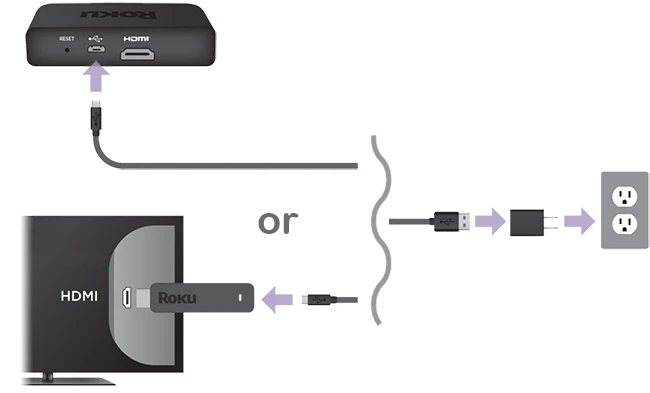
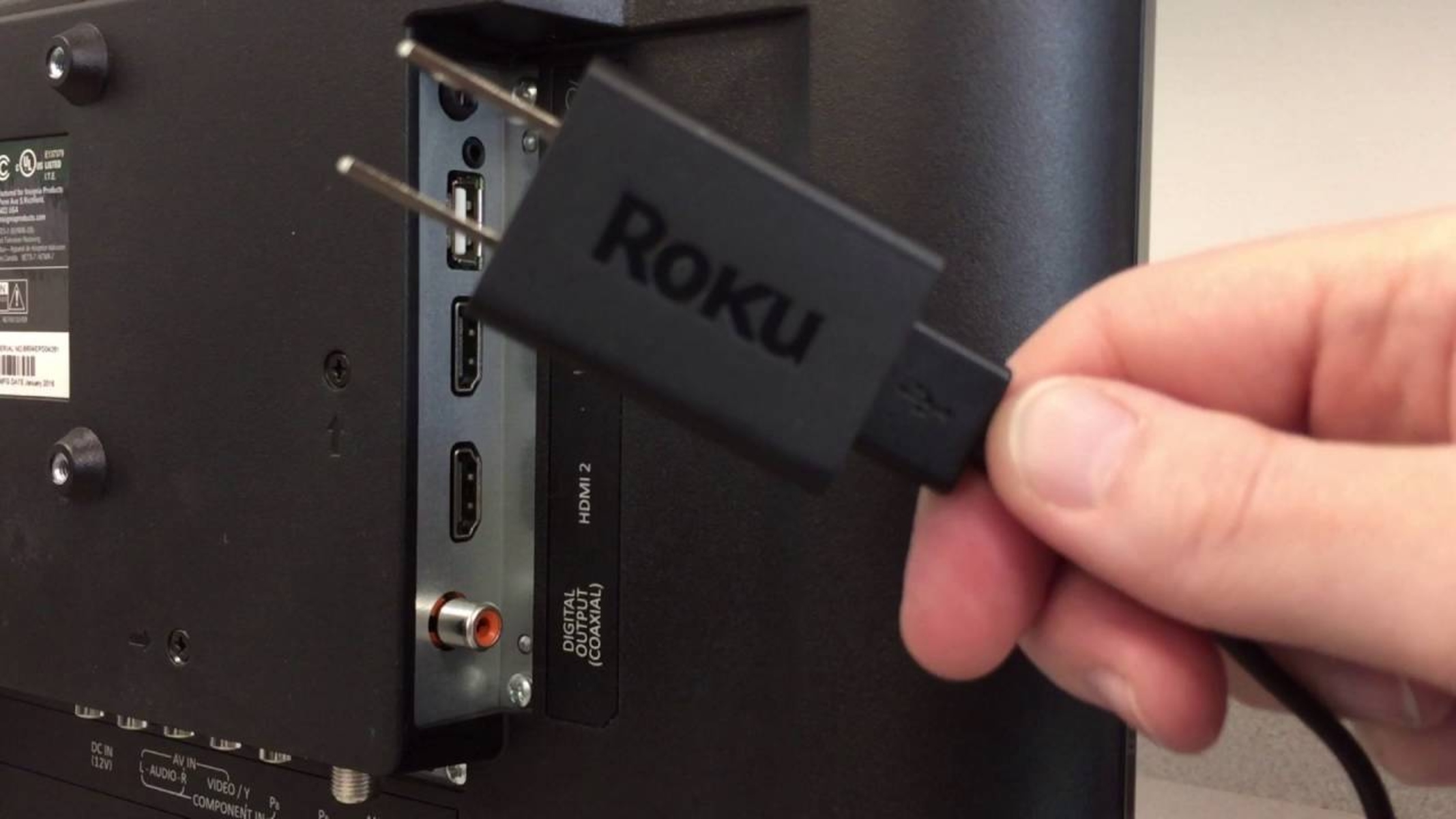
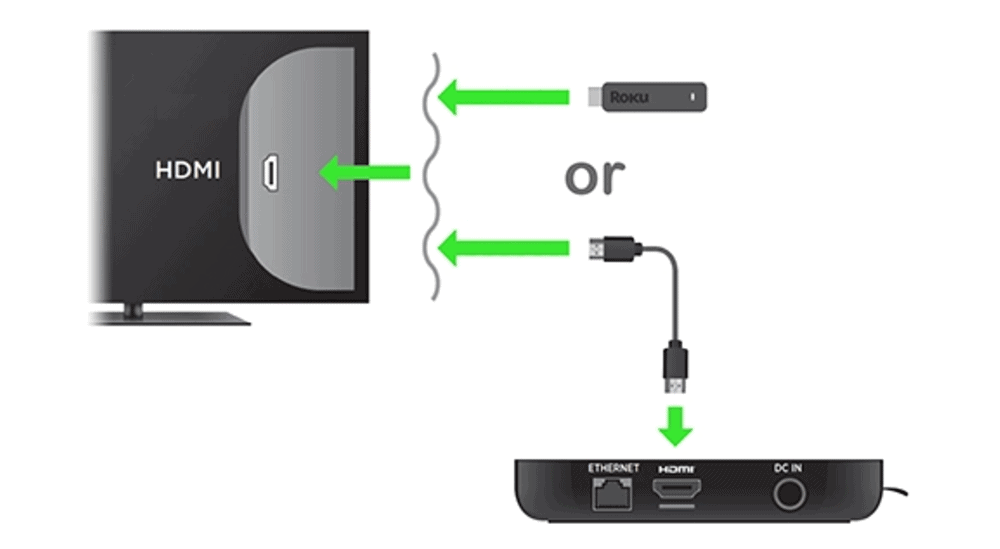
Now, let's get down to business. Connecting your Roku to your TV is as simple as 1, 2, 3. First, plug in the power cable. Then, connect the HDMI cable from the Roku to your TV's HDMI port. Don't have an HDMI port? No worries, Roku's got you covered with a composite cable too. Just pick the one that fits!
Once you've made the connection, turn on your TV and switch to the HDMI input. If you've done everything right, you should see the Roku setup screen. High-five! You're one step closer to streaming glory.
Setting Up: The Fun Part
Now comes the fun part - setting up your Roku. Follow the on-screen instructions, and before you know it, you'll be connected to your Wi-Fi and ready to roll. If you're not sure about your Wi-Fi password, now's the time to ask your roommate, spouse, or that tech-savvy neighbor.
 How To Activate Roku Tv | Robots.net
Once you're connected, sign in to your streaming accounts. And boom! You're ready to stream. It's like having your own personal movie theater at home. Pretty neat, huh?
Remote Control: Master of Your Domain
Now, let's talk about the remote. It's sleek, it's simple, and it's your key to the streaming kingdom. It's got all the buttons you need and none of the ones you don't. And the best part? It's got a headphone jack. Yes, you read that right. No more disturbing the whole house when you're binge-watching at 2 AM. Just plug in your headphones and let the good times roll!
Exploring the Roku Universe
With your Roku all set up, it's time to explore. There are thousands of channels to choose from - movies, TV shows, music, games, you name it. And the best part? Most of them are free! Yes, you heard it right. Free. No hidden fees, no subscriptions (unless you want them). It's like a buffet of entertainment, all at your fingertips.
 How to Set Up Roku TV in 2026: Easy Steps to Get Connected
So, go ahead, take a leap into the streaming world. Your TV's been waiting for this moment. And who knows? You might just discover your new favorite show. Or movie. Or song. The possibilities are endless!
You're a Streaming Superhero Now
And there you have it, folks! You've just connected your Roku to your TV and opened up a whole new world of entertainment. You're a streaming superhero now, and your TV is your trusty sidekick. So, go forth, explore, and enjoy. And remember, if you ever get stuck, there's always the Roku support team. They're like the sidekick's sidekick - always there to help!
Now, go on, grab that popcorn, get comfortable, and let the streaming begin. Your TV's been waiting for this moment. And so have you. Happy streaming!
