How Do You Sign Out Of The Gmail App

Alright, folks! Let's talk about something that's as simple as it is essential - signing out of the Gmail app. Now, I know what you're thinking, "Why do I need to sign out, is...
Alright, folks! Let's talk about something that's as simple as it is essential - signing out of the Gmail app. Now, I know what you're thinking, "Why do I need to sign out, isn't it enough that I'm just closing the app?" Well, hold onto your hats, because we're about to dive into a world of security, convenience, and yes, even a little bit of fun!
Why Bother Signing Out?
First things first, signing out isn't just about being polite and saying your goodbyes to Google. It's about security, folks! Imagine you're at a coffee shop, using their Wi-Fi to check your emails. If you don't sign out, anyone with a sneaky bone in their body could potentially access your account. Scary, right? So, let's keep our digital doors locked, shall we?
Now, you might be thinking, "But I don't want to sign in every time I want to check my emails!" Don't worry, we've got a solution for that too. It's called signing out but staying signed in. It's like having a magical, temporary pass to your account. You can check your emails, send a quick note, and then, poof! You're out. But don't worry, you can waltz right back in the next time you need to.
Must Read
How to Sign Out (The Easy Way)
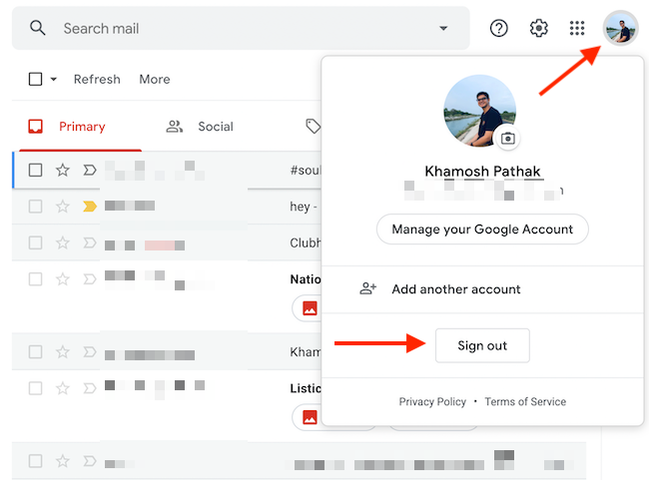
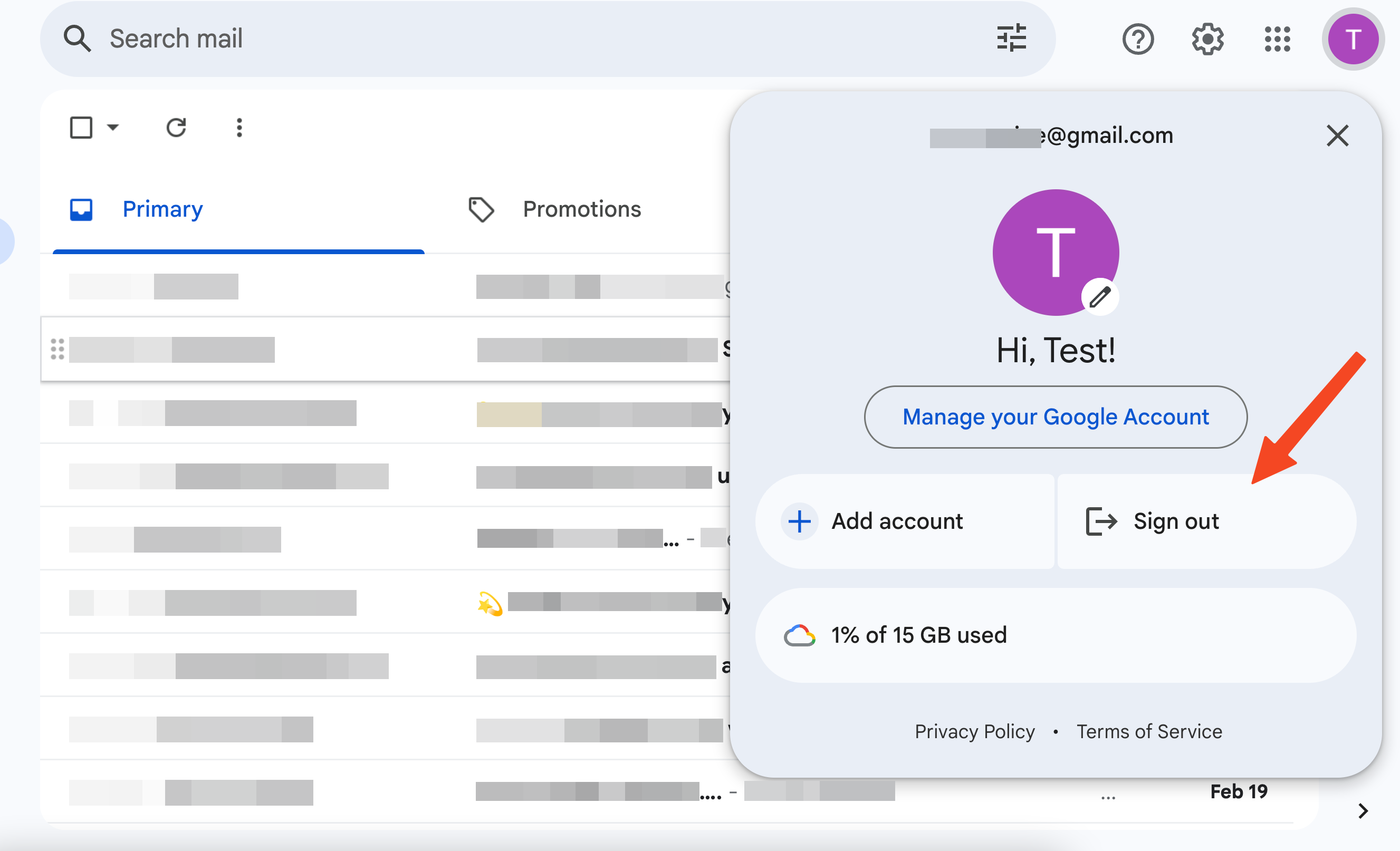
Now, let's get down to business. Here's how you sign out of the Gmail app in a snap:
 How to Sign Out of Gmail on Any Device or Remotely (2026)
- Open the Gmail app. Yep, you're already halfway there!
- Tap on your profile picture or initial in the top right corner. This is like waving at the bouncer to let you into the VIP area.
- Tap on "Manage account on this device" or "Manage accounts on this device". It's a bit of a mouthful, but it's worth it!
- Tap on "Sign out". And just like that, you're out!
See? I told you it was easy! Now, you can rest easy knowing your account is safe and sound. And if you want to stay signed in, just tick that little box that says "Stay signed in". Easy peasy!
But Wait, There's More!
Now, you might be thinking, "This is all well and good, but why should I care about signing out?" Well, let me tell you, my friend, signing out can be a game changer! It's like having a fresh start every time you open the app. No more cluttered inbox, no more emails you've been meaning to reply to but just haven't gotten around to. It's like a digital clean slate!
 How to Sign Out of Gmail
Plus, signing out can be a fun little ritual. You can make it your own little tradition, like a digital bedtime story. You know, "Time to sign out, say goodnight to Google!" It might seem silly, but it can make your day just a little bit brighter.
So, What Are You Waiting For?
Go on, give it a try! Sign out, take a break, and then sign back in. It's like a little digital vacation. And who knows? You might just find that signing out makes your Gmail experience a whole lot more fun. So, go forth, sign out, and enjoy your digital world, safe and sound!
