How To Read Tweets Without An Account

So, you've found yourself in a peculiar situation. You're curious about the Twitterverse, but you're not quite ready to dive in and create an account. Maybe you're worried abo...

So, you've found yourself in a peculiar situation. You're curious about the Twitterverse, but you're not quite ready to dive in and create an account. Maybe you're worried about the time-sucking potential of endless scrolling, or perhaps you're just not keen on sharing your every thought with the world (who can blame you?). Fear not, my friend, for I am here to reveal the secrets of how to read tweets without an account. It's like being a secret agent in the world of 280-character espionage.
Why Would You Want To?
First things first, let's address the elephant in the room. Why on earth would you want to read tweets without an account? Well, there are plenty of reasons. Maybe you're a lurker at heart, preferring to observe the chaos from the safety of the sidelines. Or perhaps you're a researcher, trying to understand the collective consciousness of humanity one tweet at a time. Maybe you're just curious about what all the fuss is about. Whatever your reason, I'm not here to judge. I'm just here to help.
Let's Get Started
Alright, let's dive in. The first thing you need to know is that Twitter has a public timeline. That's right, folks. You don't need an account to see what's trending worldwide or to check out the latest tweets from your favorite celebrities (or least favorite, depending on your taste). It's all out there, just waiting to be consumed.
Must Read
Now, you might be thinking, "That's all well and good, but how do I find this magical public timeline?" Well, my friend, it's as easy as typing twitter.com/i/activity into your browser. Voila! You're now looking at a feed of tweets from random users around the world. It's like Twitter's version of a surprise party, and you're the guest of honor.
But What If I Want To See Specific Tweets?
I hear you. Sometimes, you might want to see what's going on with a specific topic or user. Maybe you're trying to keep tabs on your ex (not that I'm encouraging stalking or anything), or maybe you're just curious about what your favorite politician is up to. Whatever the case, Twitter has you covered.
To view a specific user's tweets, all you need to do is type twitter.com/username into your browser, replacing "username" with the actual username you want to stalk... I mean, follow. For example, if you want to see what I'm up to, you would type twitter.com/your_favorite_writer. I promise I won't be offended if you're not interested in my musings on the perfect cup of coffee.
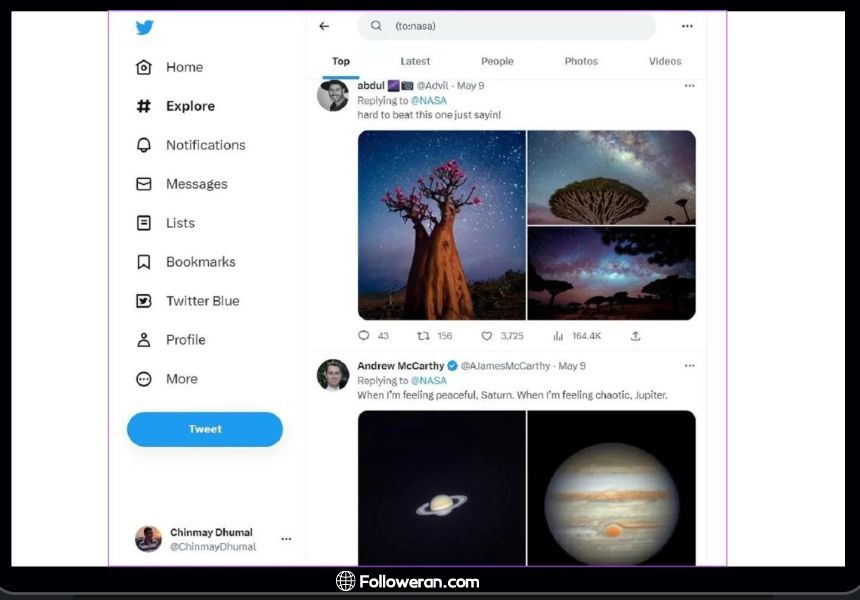 How to View Twitter Without Account? (X Without Logging in)
If you're more interested in a specific topic, you can use Twitter's search function. Just type your topic of choice into the search bar at the top of the page, and Twitter will show you all the tweets related to that topic. It's a treasure trove of information (and misinformation, but that's a topic for another day).
But What About The Good Stuff?
You might be thinking, "This is all well and good, but what about the really good stuff? The memes? The viral videos? The celebrity feuds?" Well, my friend, I'm glad you asked. While you won't be able to interact with tweets or see protected accounts without an account, you can still see a lot of the good stuff.
Twitter's trending topics are a great place to start. These are the topics that are being talked about the most at any given moment. You can find them on the left-hand side of your screen when you're on the public timeline. Click on one, and you'll be treated to a feed of tweets about that topic. It's like a real-time snapshot of what the world is talking about. It's fascinating (and sometimes terrifying).
And speaking of videos, Twitter has a feature called "Moments" that curates the best of the best when it comes to viral content. You can find these by clicking on the "Moments" tab at the top of the page. It's like a highlights reel of the Twitterverse, and it's a great way to see what everyone is talking about without having to do any of the heavy lifting yourself.
 How can I read Tweets without signing up for Twitter? - YouTube
But What About The Bad Stuff?
Alright, let's address the elephant in the room. Twitter can be a bit of a dumpster fire at times. There's no denying that. But here's the thing: you don't have to engage with the bad stuff if you don't want to. In fact, you can even mute words or phrases that you don't want to see. It's like having a personal censor button for the internet. Pretty nifty, huh?
And if you find yourself getting overwhelmed by the sheer volume of noise, you can always take a break. Twitter offers a feature called "mute notifications" that allows you to silence notifications for a specific period of time. It's like a digital detox, and it's a great way to give your brain a break from the constant stream of information.
So, What Are You Waiting For?
There you have it, folks. The secrets of the Twitterverse are now yours to explore. So, what are you waiting for? Dive in, and happy lurking! Just remember, with great power comes great responsibility. Or something like that.
And if you ever do decide to take the plunge and create an account, I'll be here waiting. After all, I've got to keep an eye on my own musings, too. But until then, happy tweeting (without the actual tweeting).
