How To Sign Into Playstation Network

Alright, so you've just unboxed your shiny new PlayStation, or maybe you've had one for a while but you're still not quite sure how to sign into the PlayStation Network. No wo...

Alright, so you've just unboxed your shiny new PlayStation, or maybe you've had one for a while but you're still not quite sure how to sign into the PlayStation Network. No worries, we're here to help! Let's dive in, yeah?
First Things First: What's the PlayStation Network?
Imagine the PlayStation Network as the cool kid's clubhouse in the neighborhood of gaming. It's where all the fun stuff happens - you can play online games with friends, download new games and updates, and even watch movies and TV shows. Pretty neat, huh?
Let's Get You Signed In!
Before we start, make sure your PlayStation is connected to the internet. If you're using Wi-Fi, you'll need to know your network name (SSID) and password. Now, let's get rolling!
Must Read
On Your PlayStation
First, turn on your PlayStation. Once you're at the main menu, look for the 'Sign In' option. It's usually at the top of the screen, next to your profile picture (if you've already created one). Click on it, and you'll be taken to the sign-in screen.
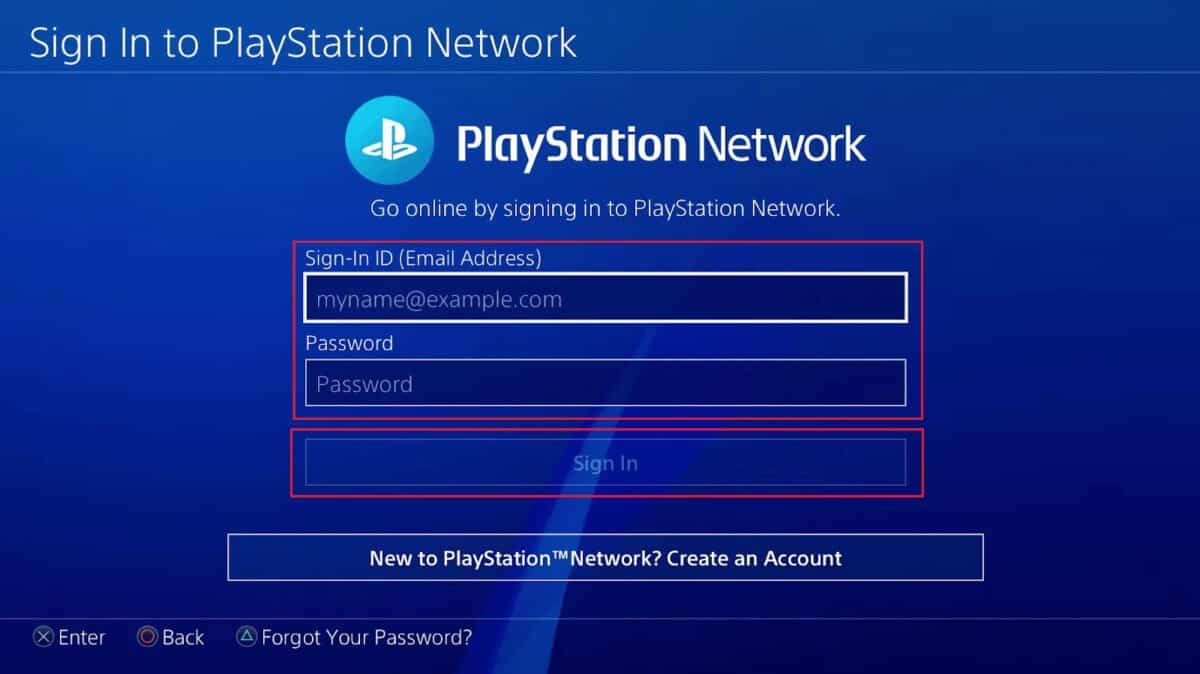
If you're new to the PlayStation Network, you'll need to create an account. Don't worry, it's like setting up a new locker at school - it's easy, and you'll have your own space to store all your gaming stuff. Click on 'New to PlayStation Network?', and follow the on-screen instructions. You'll need to create a username and password, and answer a few security questions. Easy peasy!
If you already have an account, just enter your sign-in ID (that's your email address) and password, and click 'Sign In'.
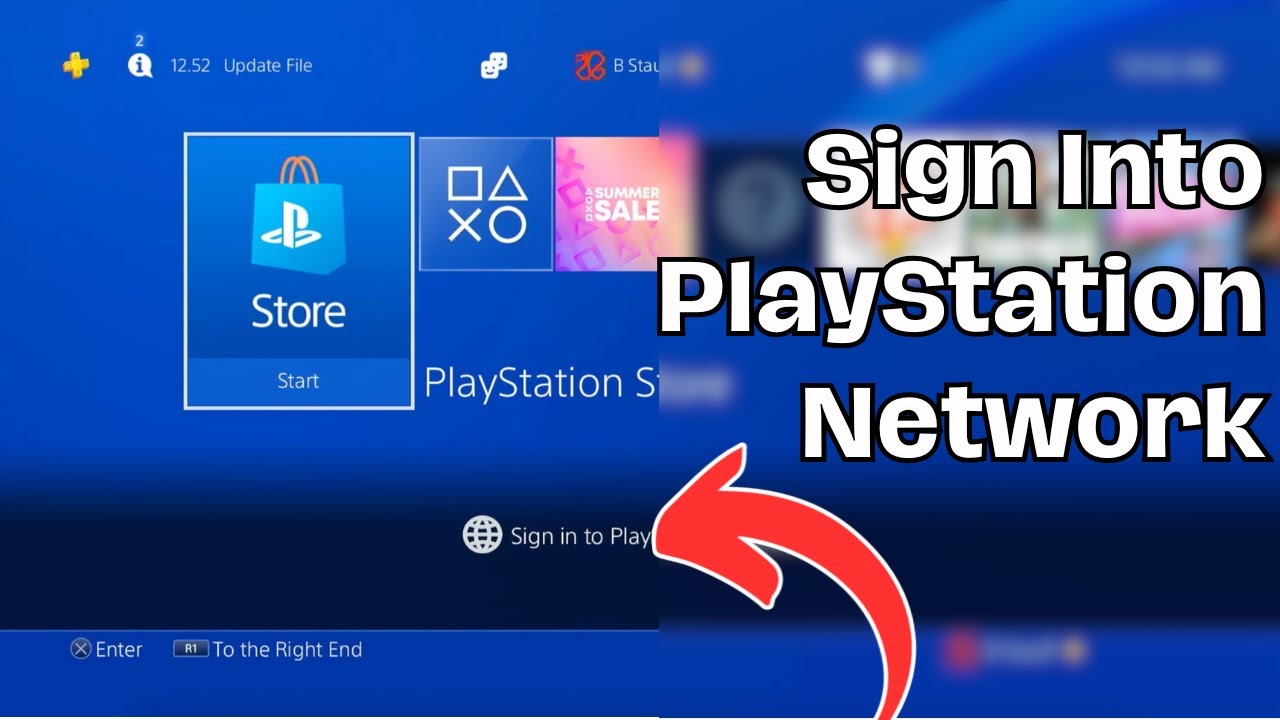 How to Sign Into PlayStation Network on PS4 (Easy Method) - YouTube
On the Web
You can also sign in to your PlayStation Network account on the web. Just head over to the PlayStation website, and click on 'Sign In'. Enter your sign-in ID and password, and you're in!
Once you're signed in, you can manage your account, check your download list, or even buy some new games. It's like having your own little gaming store, right in your browser.
Why Bother Signing In?
You might be thinking, "Why do I even need to sign in? I can play games just fine without it." Well, sure, you can play some games offline, but signing in to the PlayStation Network unlocks a whole new world of gaming.
 What Is The Playstation Sign In Id | Robots.net
Imagine you're at a huge party (that's the PlayStation Network), and you're just standing by the punch bowl, not talking to anyone. That's what playing offline is like. But if you sign in, you can join games with friends, challenge strangers, and even watch other people play. It's like going up to that cool kid in the corner and asking them to play a game of tag. Suddenly, the party gets a whole lot more fun!
Plus, signing in lets you save your game progress online. So if your console crashes (which it probably won't, but you never know), you won't lose all your hard-earned progress. It's like having a backup of your school project - you don't want to lose all that work, do you?
Need a Hand?
If you're still having trouble signing in, don't worry. The PlayStation Support team is always ready to help. You can visit their website or give them a call. They're like the teachers at school - they might not be as cool as your friends, but they know their stuff.
And remember, if you're ever unsure about something, it's always okay to ask. That's how we learn, right? So go on, give it a try. Signing in to the PlayStation Network is like joining the coolest club in town. And who knows? You might just make some new friends along the way.
