How To Tell Which Iphone Model I Have

Ever found yourself in a tech conundrum, trying to figure out which iPhone model you're rocking? You're not alone. Apple's been dropping new iPhones like hot cakes since 2007,...
Ever found yourself in a tech conundrum, trying to figure out which iPhone model you're rocking? You're not alone. Apple's been dropping new iPhones like hot cakes since 2007, and keeping track can be as tricky as remembering all the characters in 'Game of Thrones'. But don't worry, we've got you covered. Let's dive in and unravel this iPhone mystery together.
First Things First: The Basics
Before we get into the nitty-gritty, let's talk about the basics. Every iPhone model has a unique identifier, much like a secret code name. It's a combination of numbers and letters that tells us when the model was released and its specific features. For instance, the iPhone 12's identifier is 'iPhone12,1'. Isn't that just fascinating?
Now, there are a few ways to find out your iPhone model. We'll explore them all, from the easiest to the most, well, 'techie'. So, grab your iPhone and let's get started.
Must Read
The Easy Peasy Way: Check Your Settings
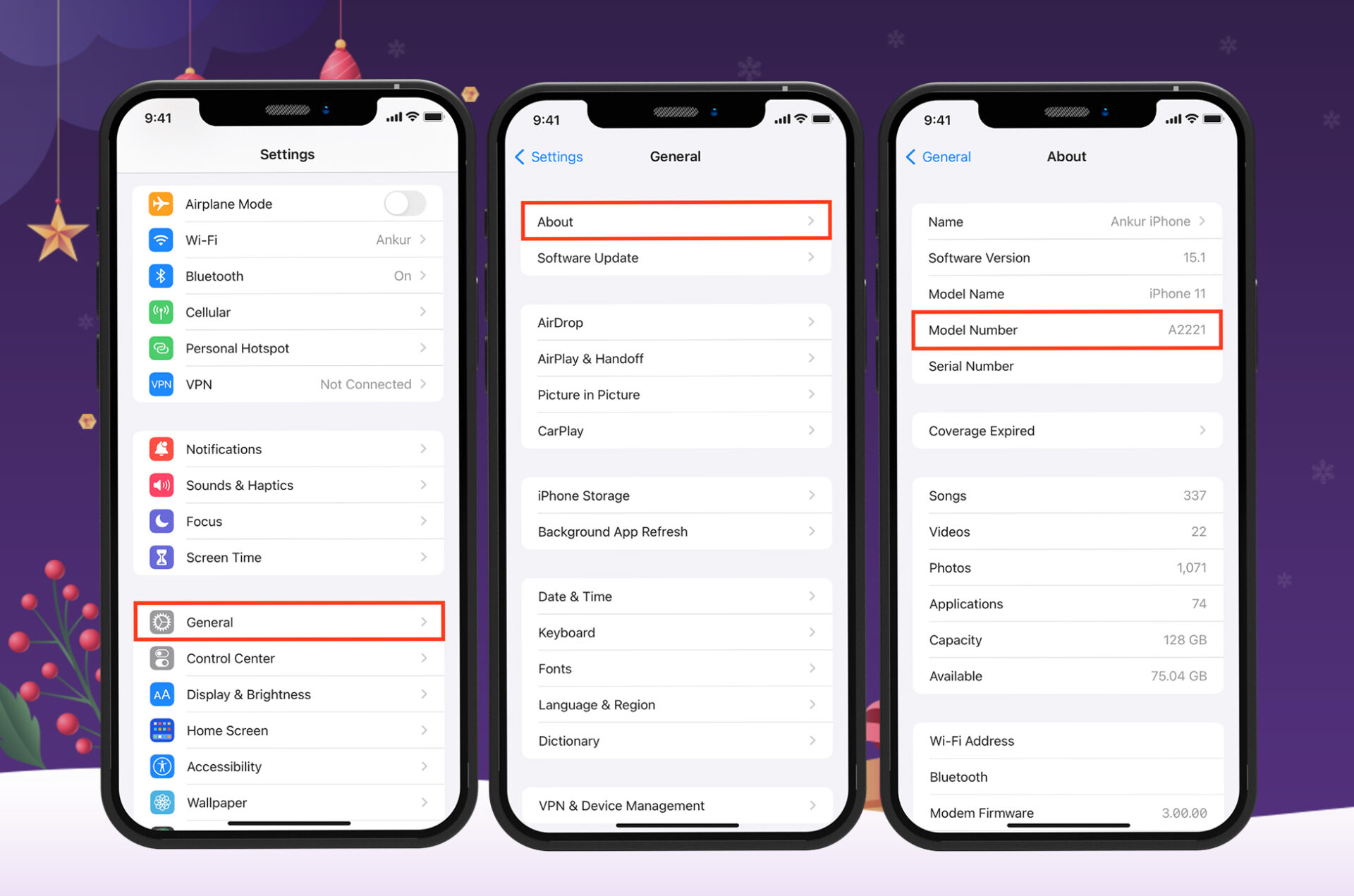
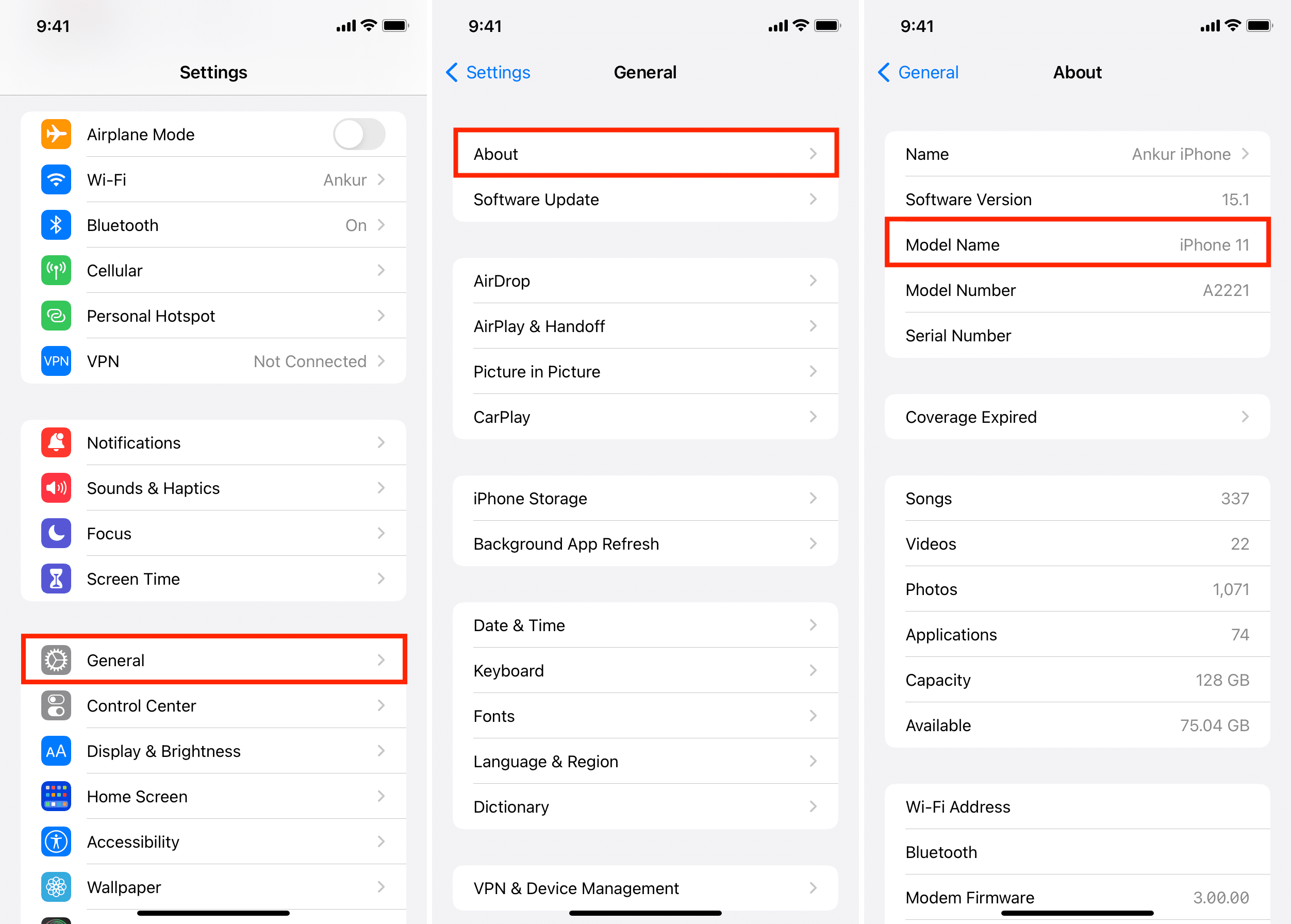
Alright, this one's a no-brainer. Apple's made it super easy to find out your iPhone model right from your settings. Here's how:
- Open your Settings app.
- Scroll down and tap on General.
- Tap on About.
- Look for Model Name. It'll tell you exactly which iPhone you've got.
Easy as pie, right? Now, if you're feeling a bit more adventurous, let's explore some other methods.
The Model Number: A Closer Look
Remember those secret code names we talked about earlier? They're called model numbers. Each iPhone model has one, and they can tell us a lot about your phone. For example, if your model number starts with 'A', it's an iPhone. If it starts with 'iPhone', it's a specific model. Clever, huh?
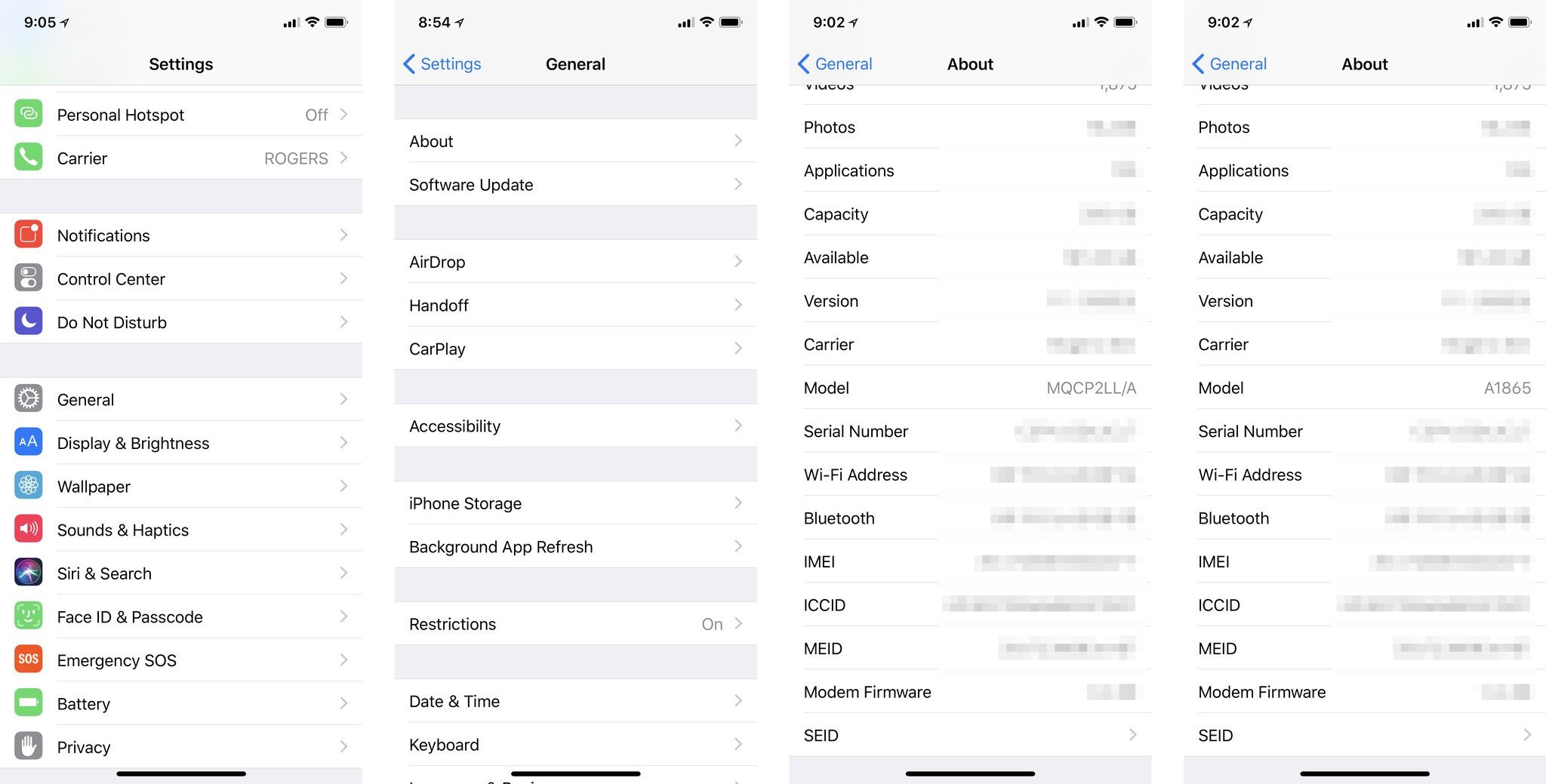 How to find the model number for your iPhone | iMore
To find your model number, you can either check your settings (it's listed under 'Model Name', just like we saw earlier) or look at the back of your iPhone. It's usually printed there, along with other important info like the IMEI number.
When All Else Fails: The Old-Fashioned Way
Alright, so maybe you've lost your iPhone's original box, and checking the settings isn't cutting it. Don't panic! There's still a way to figure out your iPhone model. It involves a bit of detective work, but we believe in you.
First, look at the back of your iPhone. You'll see the words 'iPhone' followed by a model name. It could be 'iPhone X', 'iPhone 12', or something else. That's a big clue right there.
 How to know your iPhone or iPad name and model number
Next, look at the bottom of your iPhone. You'll see a row of tiny letters and numbers. That's your model number. Write it down. It might look something like 'A1901' or 'A2176'.
Now, head over to Apple's support page (https://support.apple.com/en-us/HT201452). They've got a handy list of all iPhone models and their corresponding model numbers. Just match yours, and voila! You'll know exactly which iPhone you've got.
A Brief History of iPhones: Because Why Not?
While we're at it, let's take a quick stroll down memory lane. The first iPhone was released in 2007, and it was a game-changer. It had a 3.5-inch screen, no 3G connectivity, and cost a whopping $499. Can you believe it?
 Find the model number of your iPhone, iPad, or iPod touch - Apple
Since then, Apple's released a new iPhone every year, with each model packing more punch than the last. We've seen the iPhone 4's iconic design, the iPhone 5's lightning port, the iPhone 6's big screens, and so much more. It's been quite the journey, hasn't it?
So, What's Your iPhone's Story?
Now that you know how to figure out your iPhone model, we'd love to hear your story. Are you still rocking an old-school iPhone 4, or are you all about the latest iPhone 13? Let us know in the comments below. After all, our iPhones are more than just gadgets. They're a part of our daily lives, our memories, our stories.
Until next time, happy iPhone-ing!
