Locate My Iphone From Another Iphone

Ever felt like you've got more phones than fingers, and yet, you're still misplacing them faster than you can say "Hey Siri"? Well, fret no more, my tech-savvy friend! Today,...
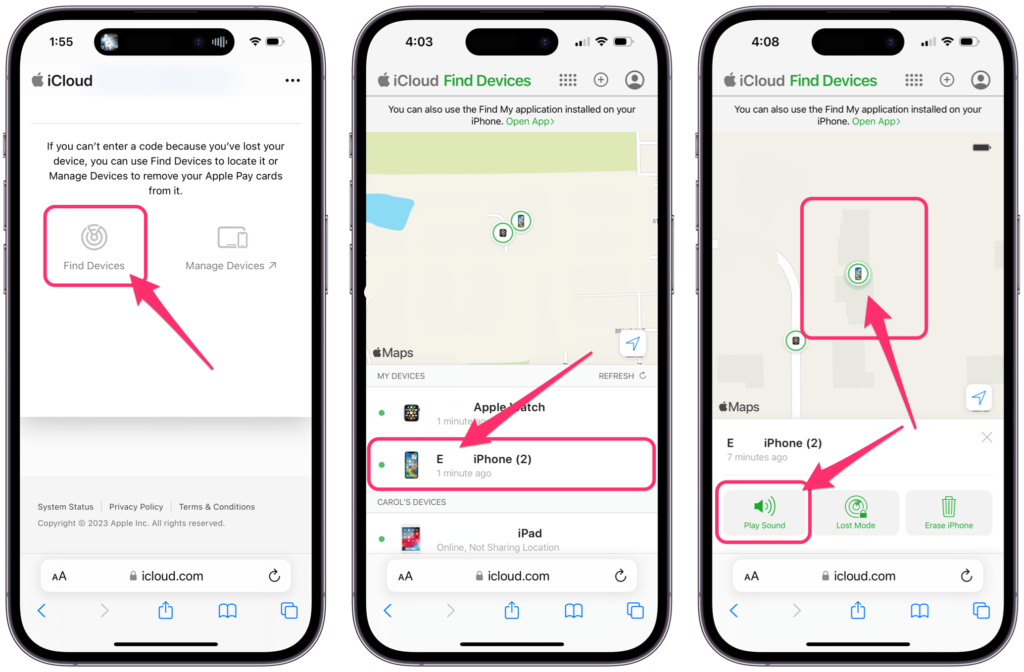
Ever felt like you've got more phones than fingers, and yet, you're still misplacing them faster than you can say "Hey Siri"? Well, fret no more, my tech-savvy friend! Today, we're diving into the magical world of "Find My iPhone" - a feature so handy, it'll make you wonder how you ever lived without it.
So, what's the big deal about 'Find My iPhone'?
Imagine this: you're out and about, enjoying a sunny afternoon, when suddenly, you realize your iPhone isn't where it should be. Panic sets in, right? Wrong! With 'Find My iPhone', you can locate your missing device with just a few taps on another iPhone. It's like having a personal superhero, always ready to save the day.
But how does it work, you ask?
It's all thanks to Apple's magical ecosystem. When you turn on 'Find My iPhone', your device's location is constantly updated and stored in the cloud. So, even if your iPhone is offline or turned off, you can still track its last known location. Pretty nifty, huh?
Must Read
Now, let's say you've misplaced your iPhone at home. No need to turn the house upside down. Just grab another iPhone, open the 'Find My' app, and boom! You'll see a map with your missing device's location. If it's nearby, you can even make it play a sound to help you find it. It's like a real-life treasure hunt!
But what if my iPhone is lost, not just misplaced?
Don't worry, 'Find My iPhone' has got you covered. If your iPhone is lost or stolen, you can put it in Lost Mode. This means you can lock your device remotely, display a custom message with your contact details on the lock screen, and even track its location in real-time if it comes back online.
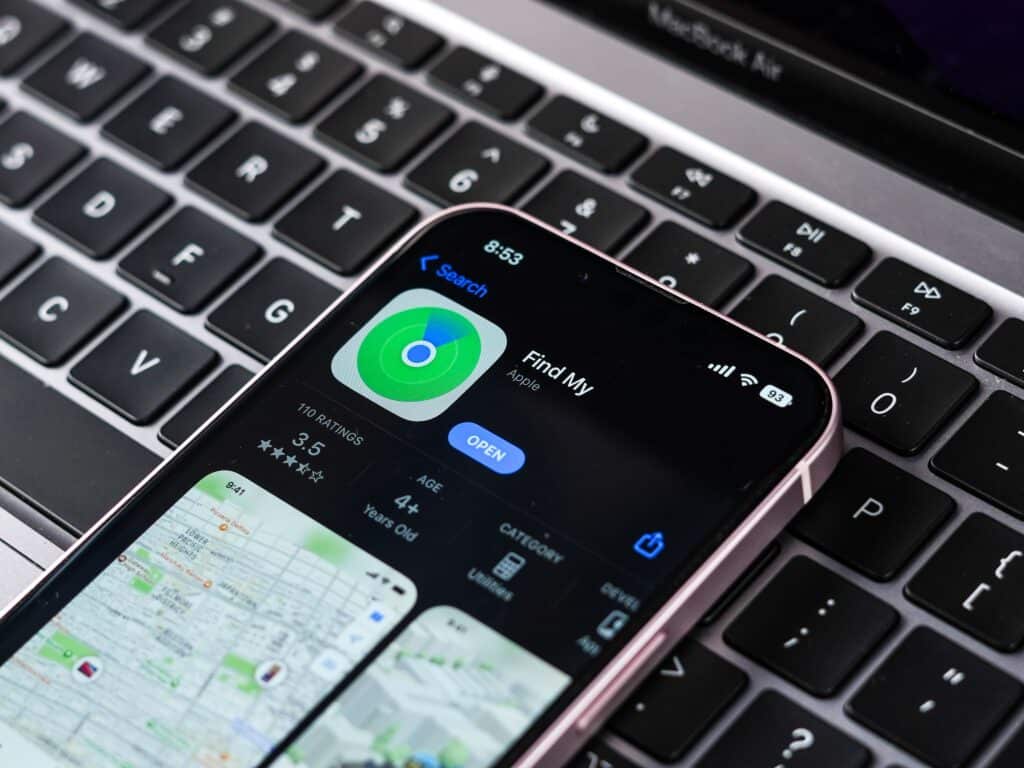 How to Track an iPhone Location from Another iPhone Easily
And here's the cherry on top: if someone finds your iPhone and tries to turn it off or erase it, you'll get a notification. That's right, you can still track it even if someone tries to pull a fast one!
But wait, there's more!
You can also use 'Find My iPhone' to locate other Apple devices, like your iPad or AirPods. And if you've got kids or family members who are always misplacing their devices, you can even set up 'Find My' for them. It's like having a personal GPS for your entire tech family!
So, how do I get started?
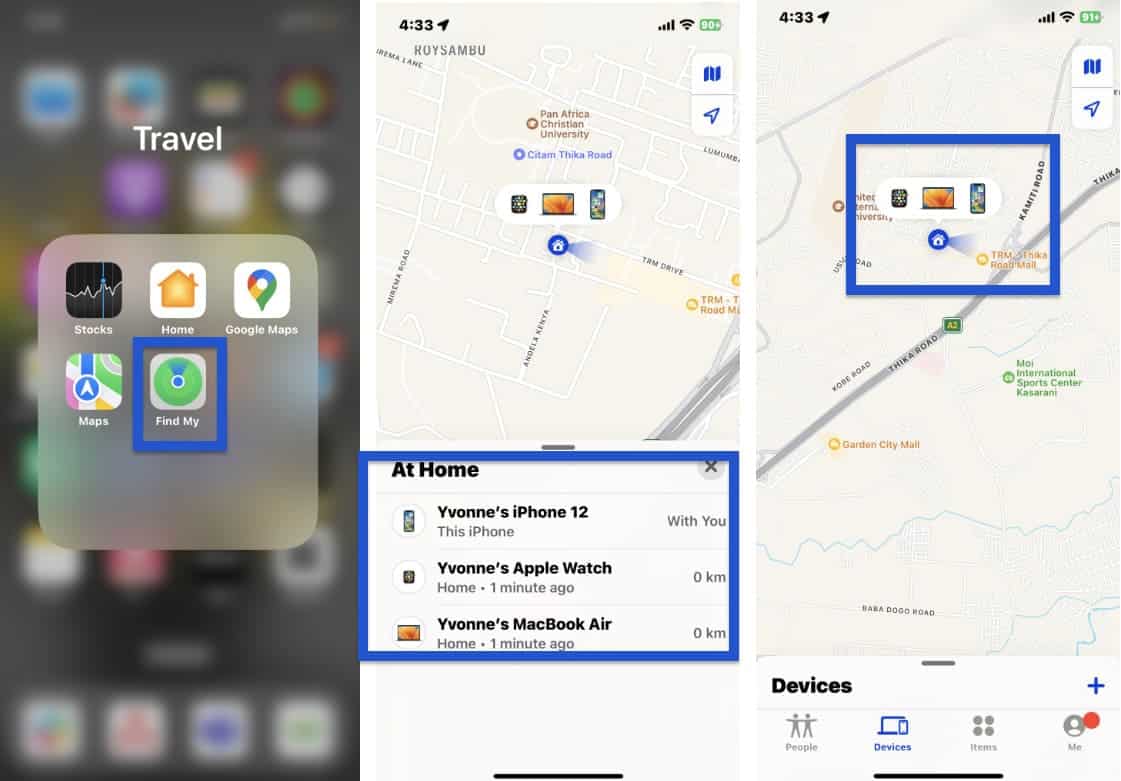
It's super easy! Just make sure you've signed in to iCloud on both devices, then follow these simple steps:
 How to Use Find My iPhone: All The Features Review
- Open the 'Find My' app on the iPhone you want to locate.
- Tap on the 'Devices' tab at the bottom of your screen.
- Select the device you want to locate.
- Choose the action you want to take: Play Sound, Mark as Lost, or Directions.
And there you have it! You're now a 'Find My iPhone' pro, ready to tackle any tech mishap that comes your way.
So, go forth and explore!
Life's too short to spend it searching for lost devices. With 'Find My iPhone', you can spend less time worrying about your tech and more time doing what you love. So, get out there, enjoy the world, and remember - your iPhone's got your back, no matter where you go.
And who knows? Maybe one day, you'll be the one helping someone else find their missing device. After all, sharing is caring, right? Happy exploring!
