What Is Background App Refresh Iphone

So, you've got an iPhone, huh? Great! Now, have you ever wondered why your phone sometimes feels like it's got a mind of its own? Like, one minute it's a sleepy little thing,...
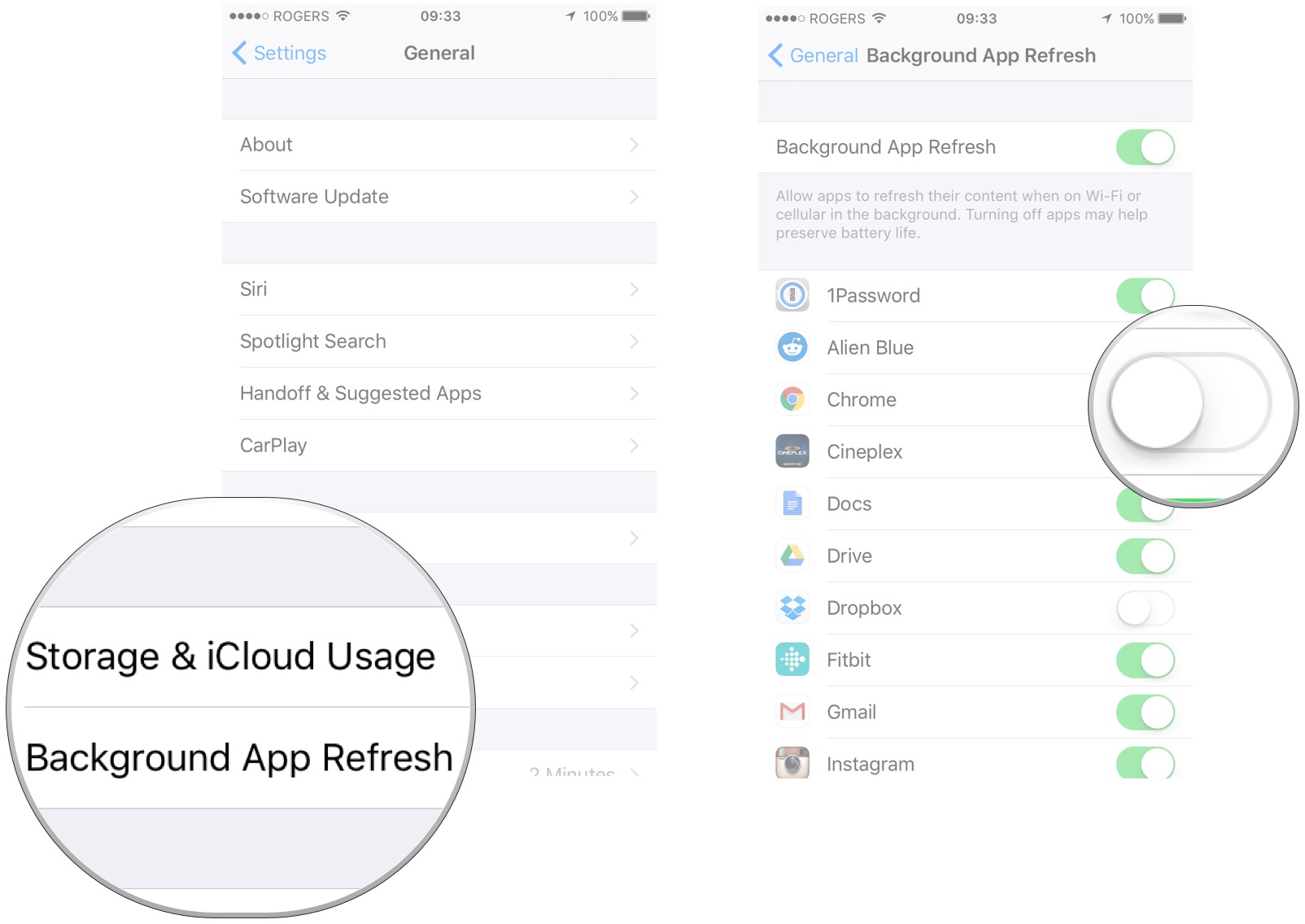
So, you've got an iPhone, huh? Great! Now, have you ever wondered why your phone sometimes feels like it's got a mind of its own? Like, one minute it's a sleepy little thing, and the next, it's buzzing and beeping like a tiny, tech-savvy colony of bees? Well, my friend, let me introduce you to the mysterious world of Background App Refresh.
What's the Deal with Background App Refresh?
Imagine Background App Refresh as the little elf that lives in your iPhone. You know, the one that magically updates your apps when you're not looking. It's like having a personal assistant who's always one step ahead, but instead of fetching coffee, it's fetching the latest tweets or checking your emails.
Now, you might be thinking, "That sounds great! Why would anyone want to turn that off?" Well, my curious friend, let me tell you a tale of battery life and data usage. You see, while Background App Refresh is busy keeping your apps up-to-date, it's also using up your phone's battery and data. It's like having a roommate who's always tidying up, but also always leaving the lights on and the TV blaring.
Must Read
But Wait, There's More!
Here's where it gets interesting. You might think that all apps are created equal, but oh no, that's where you'd be wrong. Some apps are like the neat freaks of the app world, constantly refreshing in the background, while others are more laid-back, only updating when they feel like it (or when you open them).
And get this, you can even tell your iPhone which apps are allowed to refresh in the background and which ones aren't. It's like having a little app party, and you're the bouncer. Isn't that just the most delightfully absurd thing you've ever heard?
How to Control Your Background App Refresh
Alright, so you've decided you want to take control of your Background App Refresh. First things first, you need to go to your iPhone's Settings. Don't worry, it's not as scary as it sounds. Just tap that little gear icon, and you'll be well on your way.
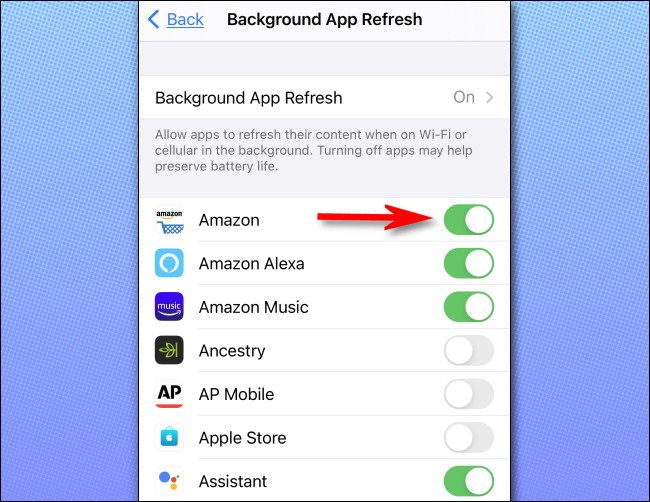 How to Turn off Background App Refresh on iPhone or iPad
Once you're in Settings, you'll see a list of apps. Tap on any app, and you'll see an option for Background App Refresh. Here, you can choose whether you want the app to refresh in the background or not. It's like giving each app a little personal invitation to the party.
But wait, there's more! (I know, I know, I can't help myself.) You can also turn off Background App Refresh entirely for your iPhone. Just go back to the main Settings menu, and you'll see the option at the top. It's like kicking all the apps out of the party, but only until you change your mind again. It's a power trip, I won't lie.
Surprising Facts: The Background App Refresh Edition
Did you know that Background App Refresh has been around since iOS 7? That's right, it's been sneaking into your apps and updating them for years. It's like the original secret agent of the app world.
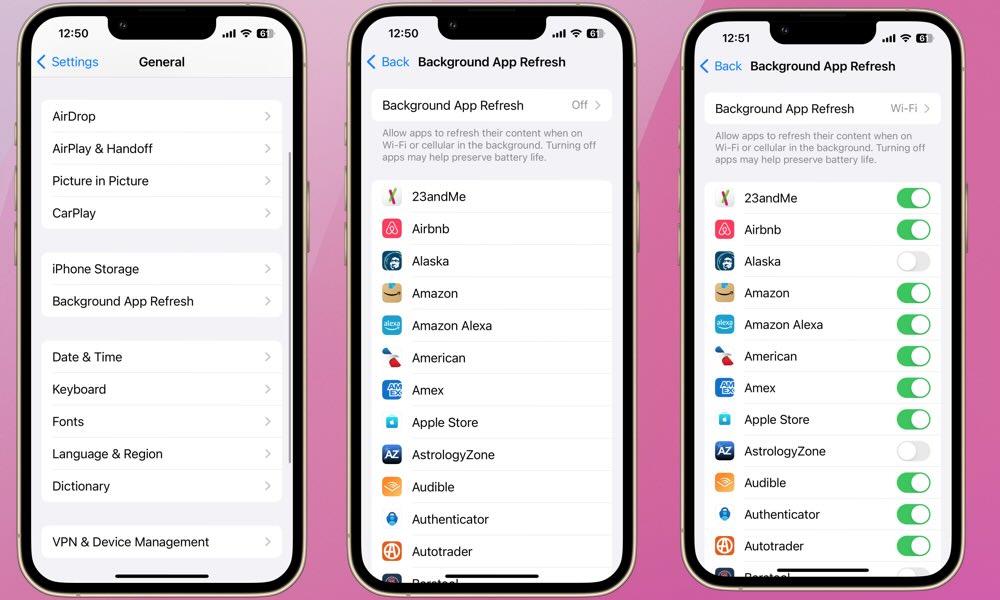 How Background App Refresh Really Works on Your iPhone
And here's another one for you. Some apps, like the Stocks app, actually require Background App Refresh to work properly. It's like having a roommate who can't function without leaving the lights on. Isn't that just the most delightfully infuriating thing you've ever heard?
So, Should You Turn Off Background App Refresh?
Well, that depends on you, my friend. If you're the type who likes to keep your apps up-to-date at all times, even if it means using up a bit more battery and data, then by all means, let those apps refresh to their heart's content.
But if you're the type who likes to keep an eye on your phone's resources, or if you're trying to eke out every last drop of battery life, then you might want to consider turning off Background App Refresh for some of your apps. Or, you know, all of them. It's your call.
Just remember, it's a balancing act. You want your apps to be up-to-date, but you also want your phone to last through the day. It's like trying to keep a room full of toddlers happy and quiet at the same time. Good luck with that.
