Where To Find Archived Emails Outlook

Hey there, tech-savvy friend! You know how it is, we're all swimming in a sea of emails, right? Some are important, some are... well, let's just say they're 'character-buildin...
Hey there, tech-savvy friend! You know how it is, we're all swimming in a sea of emails, right? Some are important, some are... well, let's just say they're 'character-building'. Either way, it's a good idea to know where to find those archived emails in Outlook, just in case you need to dive back in. So, grab a coffee, get comfy, and let's take a little journey into the world of Outlook's archives.
First Things First: What Are We Talking About?
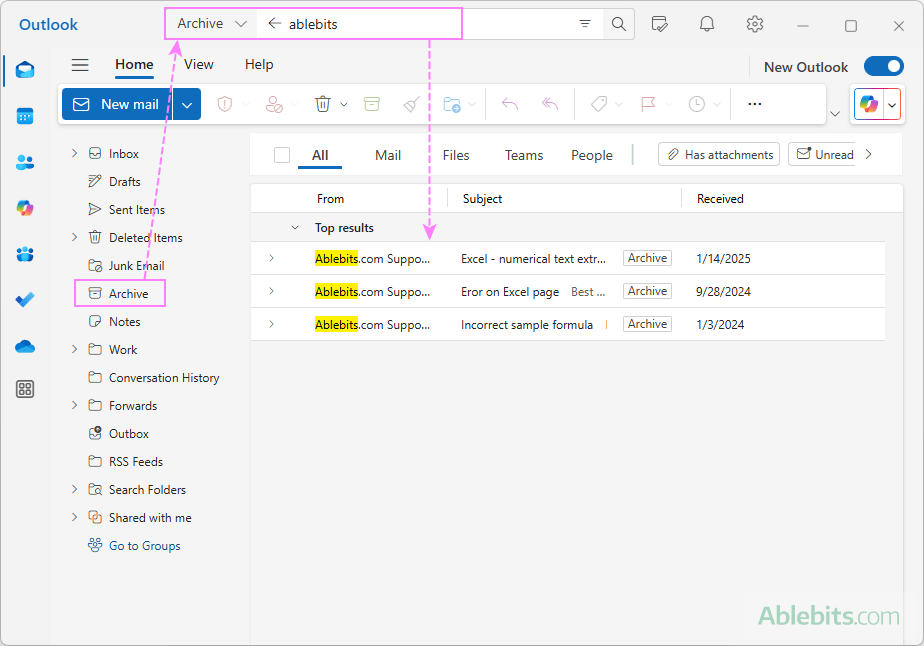
When we say 'archived emails', we're talking about those emails you've decided to tuck away for safekeeping. They're not in your inbox, they're not in your deleted items, they're just... gone. But don't worry, they're not lost forever. Outlook has a special place for them, and we're about to find out where that is.
Let's Get Started: The Desktop Version
Alright, so you're using the desktop version of Outlook. Great! Here's how you find your archived emails:
Must Read
- First, click on the 'Mail' tab at the bottom left corner of your screen. This is where all your email folders live.
- Now, look for the 'Folder' tab at the top of your screen. It's hiding out under the 'Home' tab, so you might need to give it a little nudge.
- In the 'New' section, you'll see 'More Folders...'. Click on that, and a little window will pop up.
- In that window, you'll see a list of folders. Look for 'Archives'. Click on it, and voila! You're in your email archives.
Easy peasy, right? Now, if you're using the web version of Outlook, things are a little different, but don't worry, it's still a breeze.
Web Version: A Slight Detour
So, you're using the web version of Outlook. No problem! Here's how you find your archived emails:
- First, click on the 'Mail' icon at the bottom left corner of your screen. This will take you to your inbox.
- Now, look for the 'Folder' icon at the top of your screen. It's next to the search bar, looking all innocent.
- Click on that, and you'll see a list of folders. Look for 'Archives'. Click on it, and there you go! You're in your email archives.
See? I told you it was easy. Now, you might be wondering, 'How do I actually archive an email?' Well, that's a great question!
Archiving 101: The Easy Way
Alright, so you've found your archives, but now you want to know how to actually put an email in there. Here's how:
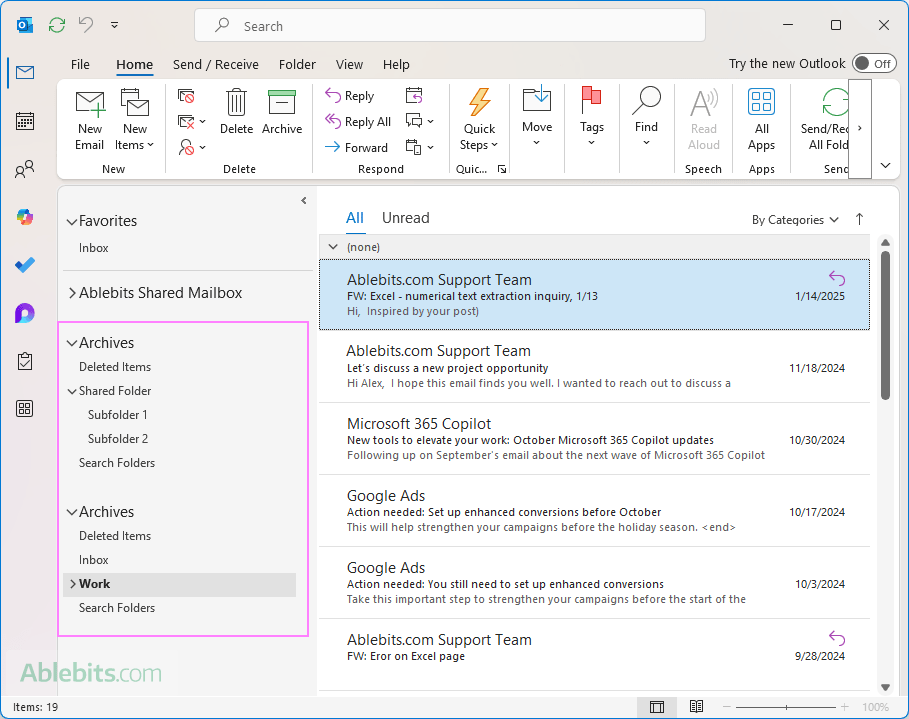 How to find archived emails in Outlook & change archive location
- First, open the email you want to archive. It could be an old one, a new one, it doesn't matter.
- Now, look at the top of the email. You'll see a little 'Move' button. Click on that.
- In the menu that appears, click on 'Other Folder...'. A little window will pop up.
- In that window, you'll see a list of folders. If you don't see 'Archives', click on 'Browse...' and you'll find it.
- Once you've found 'Archives', just click on it, and your email will be safely tucked away.
And that's it! You're now a certified email archiving pro. You can do this, right? I knew you could.
But Wait, There's More!
You might be thinking, 'That's all well and good, but what if I want to find an email that's not in my inbox or my sent items?' Well, my friend, that's where the search bar comes in. Here's how to use it:
- First, click on the search bar at the top of your screen. It's right next to the 'New' button.
- Now, type in the words you remember from the email. It could be a name, a date, a phrase, anything that stands out.
- As you type, Outlook will start suggesting emails that match your search. If you see the one you're looking for, just click on it.
- If you don't see it, hit enter, and Outlook will show you a list of results. Scan through them, and you should find what you're looking for.
And there you have it! You're now a master of Outlook's archives. You can find any email, any time. Isn't that a wonderful feeling?
So, Why Should You Care About Archives?
You might be thinking, 'This is all well and good, but why should I care about archives?' Well, let me tell you, my friend, archives are your secret weapon. They're like your own personal time machine, taking you back to any email, any time.
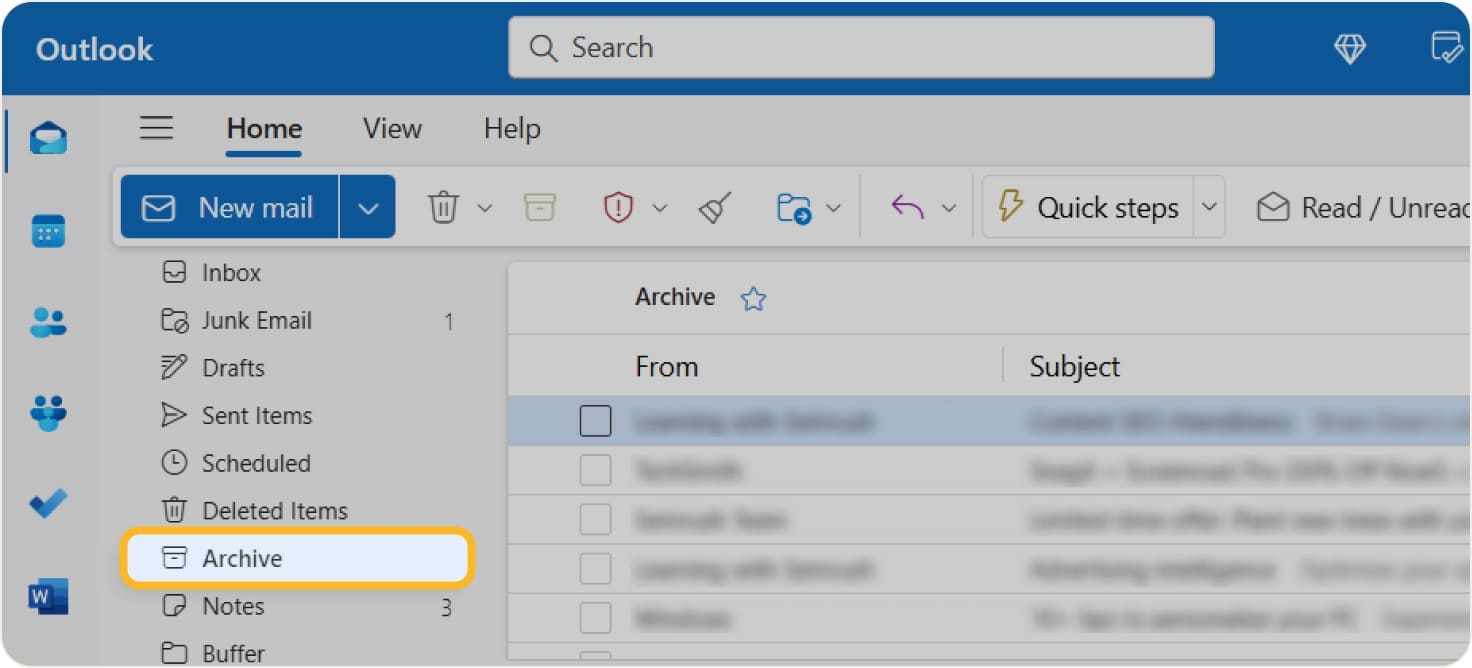 Where Do Archived Emails Go in Outlook? Right This Way!
Need to check if you sent an invoice last month? No problem, just dive into your archives. Want to see what that client said about their project six months ago? Easy peasy, just a quick trip to the archives. See? They're not just for hoarding old emails, they're for keeping your life organized and stress-free.
So, go on, give it a try. Archive an email, then come back in a week and see if you can find it. I bet you can. And when you do, you'll be smiling, because you know you've got this email thing down pat.
And that, my friend, is what it's all about. Stay organized, stay stress-free, and most importantly, stay smiling. Because at the end of the day, it's all about making life a little bit easier, one email at a time.
Until next time, happy emailing!
