Add Text To Pdf Document Online Free

Picture this: You’re mid-coffee, mid-browsing, and suddenly, you realize you need to add a quick note to a PDF—maybe a signature, a deadline, or just a doodle to make it feel...

Picture this: You’re mid-coffee, mid-browsing, and suddenly, you realize you need to add a quick note to a PDF—maybe a signature, a deadline, or just a doodle to make it feel personal. No printer, no fancy software, and definitely no time to hunt for a USB cable. Enter the internet’s secret weapon: free online tools that let you edit PDFs like a pro, no downloads required.
Gone are the days of printing, scribbling, and scanning back—unless, of course, you enjoy that kind of vintage chaos. Today, adding text to a PDF online is as easy as dragging and dropping, and the best part? Most of these tools are free, fast, and won’t leave your computer cluttered with bloatware. Think of them as the digital equivalent of a sticky note on your fridge, but way more sophisticated.
Why You’ll Love Editing PDFs Online
First off, convenience. No matter where you are—whether it’s your laptop at a café, your phone on a train, or your tablet in bed—these tools adapt. No installation, no learning curve, just open, edit, and save. Plus, they’re perfect for the last-minute hero moments: that last-minute client note, a quick annotation for a friend, or even turning a plain document into a mini masterpiece with a splash of color.
Must Read
And let’s be real—some of us are creative rebels at heart. Maybe you want to add a playful font to a resume, highlight key points in a contract, or even turn a boring receipt into a digital scrapbook. These tools let you play without consequences. No permanent damage to your files, just temporary fun.
Top Picks for Free PDF Text Editors
Not all free tools are created equal, so let’s break down a few standouts. Smallpdf is the Swiss Army knife of PDF editors—simple, reliable, and packed with features like text addition, annotations, and even form filling. It’s like the all-you-can-eat buffet of PDF tools, minus the digestive discomfort.
Then there’s iLovePDF, which feels like the cool, laid-back cousin of the PDF world. It’s got a sleek interface, batch processing for multiple files, and even lets you merge or split PDFs—because why stop at just text when you can party with your documents?
For the minimalists, PDFescape is a breath of fresh air. It’s straightforward, no-nonsense, and perfect if you just want to add a quick signature or a note without any fluff. Think of it as the no-frills diner of PDF tools—efficient and always open.
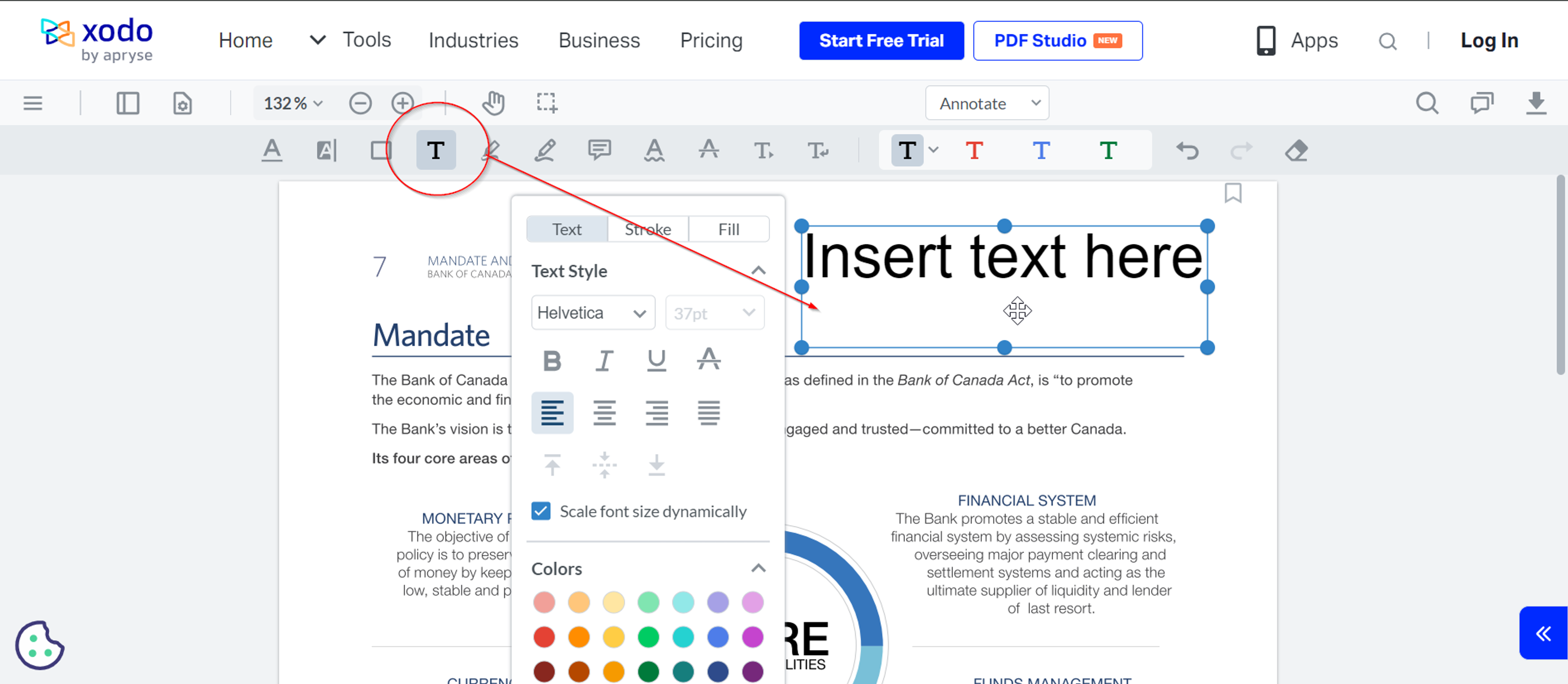 How to Add a Text Box to PDF on Any Device
And if you’re feeling tech-savvy, Sejda offers a free tier with some surprisingly robust features, like redaction (yes, you can black out sensitive info like a spy) and PDF compression. It’s the James Bond of PDF tools—sleek, powerful, and ready for action.
Pro Tips for Smooth Sailing
Before you dive in, here’s a little cheat sheet to make your PDF editing life easier. First, always save a copy of your original file before editing—because let’s face it, we’ve all hit "save" too late and regretted it. Treat your PDF like a first date: back it up.
Next, play with fonts and sizes. A tiny, hard-to-read text is like wearing socks with sandals—just wrong. Use a clear, readable font (think Arial or Times New Roman) and keep it big enough that a grandparent could read it without squinting. Accessibility matters, even in your digital doodles.
And if you’re adding text to a scanned PDF (the digital equivalent of a photocopy), most tools will let you convert it to an editable format first. It’s like turning a stone tablet into a blank canvas—just don’t expect miracles if the original was blurry.
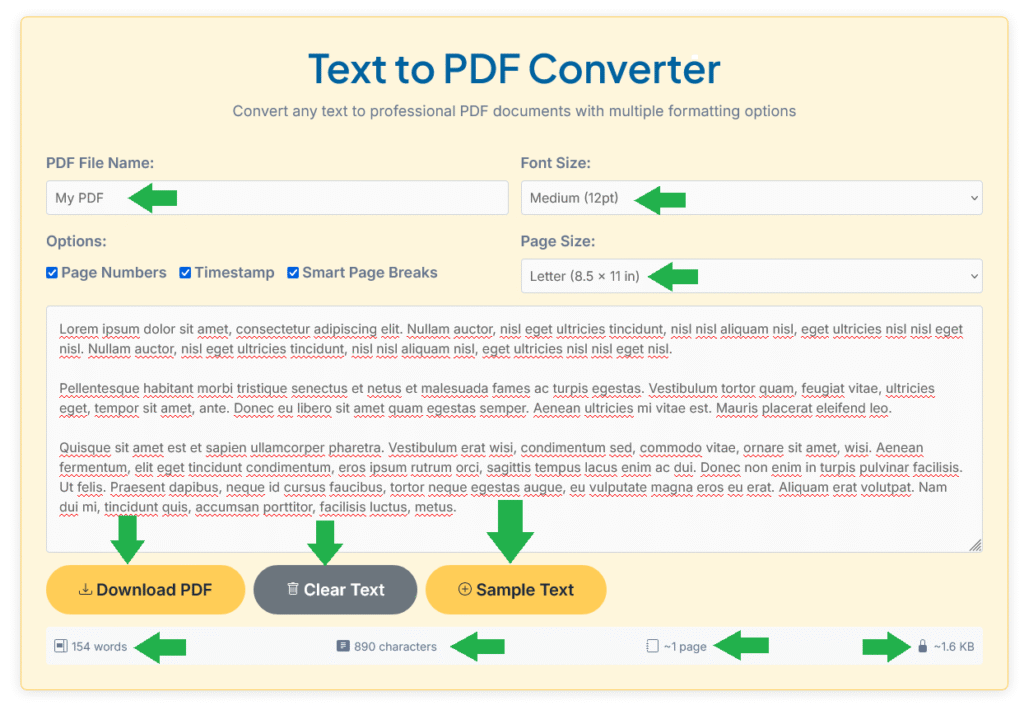 Text to PDF Converter | How to Convert Text to PDF? | Discussiony
A Little Fun Fact
Did you know the PDF format was invented in the 1990s by Adobe? It was originally designed to make documents look the same on any device—no more "this looks great on my Mac but not my PC" drama. Today, it’s the unsung hero of the digital world, holding everything from contracts to memes.
Speaking of memes, have you ever tried to add a funny caption to a PDF? It’s hilarious and surprisingly satisfying. Next time you’re stuck in a meeting, pull up a boring presentation, add a dramatic "WTF" in Comic Sans, and watch the room react. Just don’t blame us if HR gets involved.
The Human Touch
At the end of the day, these tools aren’t just about functionality—they’re about connection. Whether you’re annotating a friend’s thesis, adding a personal note to a client’s proposal, or just making your life a little less chaotic, there’s a sense of agency in shaping your own digital space.
Think of it like this: The internet is a vast, ever-changing landscape, and your PDFs are the little pockets of control you carry with you. They’re your notes, your memories, your digital handwriting on the world. And now, with a few clicks, you can make them yours—no printer, no fuss, just pure, unfiltered creativity.
So next time you’re staring at a PDF and thinking, "Ugh, why can’t I just add a word?"—remember: the internet has your back. And really, what’s more satisfying than a quick win that turns a chore into a little moment of joy?
