Best Way To Make An International Call

Ever found yourself in a situation where you're dying to share a hilarious story with your best mate from high school, but they're now living on the other side of the globe? O...

Ever found yourself in a situation where you're dying to share a hilarious story with your best mate from high school, but they're now living on the other side of the globe? Or maybe you've got a burning question about that weird dish you tried last night, and your mom's the only one who can tell you if it's a local delicacy or just a family recipe gone wrong? Well, my friend, you're in luck. Today, we're going to chat about the best way to make an international call, because let's face it, sometimes you just gotta hear that familiar voice, no matter how far away they are.
Why Bother with International Calls?
Alright, so you might be thinking, "Why not just use WhatsApp, Messenger, or any of those other fancy apps?" Well, sure, those are great for a quick chat or a funny meme, but there's something about a good old-fashioned phone call that just can't be beaten. It's like going out for a fancy dinner instead of ordering takeout - sure, both will fill you up, but one's just a bit more... special.
Imagine this: you've just had the most incredible day, or maybe the worst, and you're dying to share it with someone who knows you inside out. You could type out a long message, but let's be real, that's a lot of effort. Plus, tone of voice, laughter, and those little "mm-hm"s and "uh-uh"s? They're all part of what makes a conversation so darn delightful. So, let's dive in and find the best way to make that international call, shall we?
Must Read
Skype: The OG of International Calls
Remember when Skype was the new kid on the block, and we were all amazed that we could talk to someone on the other side of the world for free? Well, it's still around, and it's still a great option. Skype-to-Skype calls are free, and the video quality is usually pretty decent. Plus, it's got that retro feel - like talking on a landline, but with way more pixels.
However, Skype isn't perfect. It can be a bit of a pain to set up, and the call quality can be iffy if your internet's not up to scratch. But hey, if you're looking for a nostalgia trip, or you're on a budget, Skype's your gal.
WhatsApp: The Modern Marvel
Now, WhatsApp, that's a different story. It's as easy to use as sending a text, and it's free if you've got Wi-Fi. Plus, you can make group calls, which is perfect for catching up with the whole gang. It's like having a little party in your pocket, and everyone's invited.
 How to Make International Calls to 100+ Countries? 101 Guide
But here's the thing: WhatsApp calls can use up a lot of data if you're not on Wi-Fi, and the call quality can be a bit hit or miss. It's great for a quick chat, but if you're planning a long, heart-to-heart, you might want to look elsewhere.
Google Duo: The Simple One
Google Duo is like the friend who's always there to lend a hand, but you never really think about until you need them. It's super simple to use - just open the app, and it's ready to go. Plus, it's got this nifty 'Knock Knock' feature, where you can see the caller before you answer. It's like having a little peephole for your calls.
However, Google Duo doesn't have a desktop app, so you're stuck using your phone. And while the call quality is usually great, it can be a bit of a battery drain if you're on a long call. But hey, at least you'll have a full charge when you're done - all that talking's bound to wear you out!
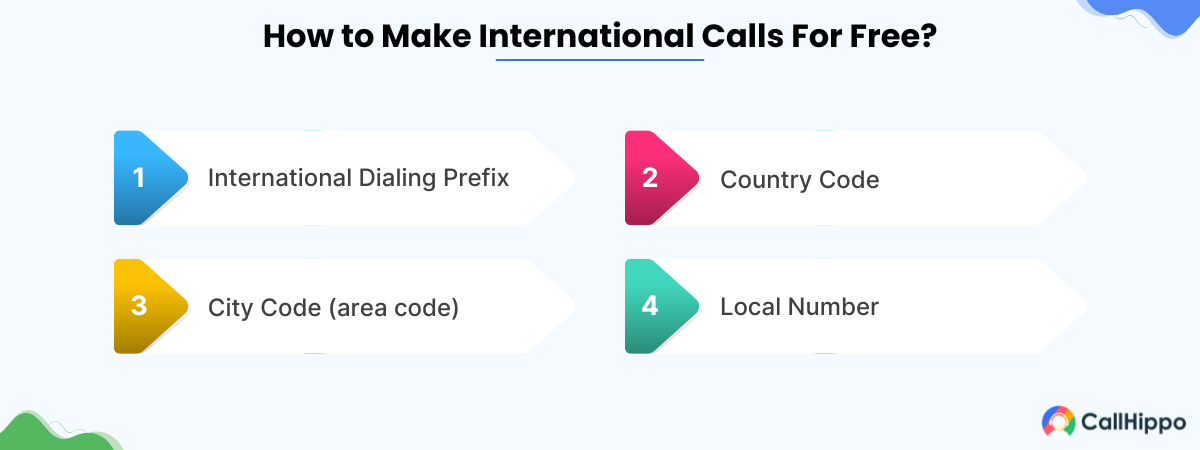 How to Make International Calls? Step-by-Step Guide
Receiving International Calls: The Forgotten Half
Alright, so we've talked about making international calls, but what about receiving them? Well, that's where services like WorldCell come in. They give you a local number in the country you're in, so your friends and family back home can call you like it's a local call. It's like having a little piece of home, right in your pocket.
Plus, with WorldCell, you can make international calls too, and you'll get a local number in the country you're calling. It's like having a little international phone party, and everyone's invited. The best part? You can try it out for free, with no credit card required. It's like a little international call taster session, and if you like it, you can sign up for a plan that suits you.
So, Which is the Best Way to Make an International Call?
Well, that all depends on what you're looking for. If you're after simplicity and don't mind using a bit of data, WhatsApp's your best bet. If you're after a retro feel and don't mind a bit of a faff, Skype's your gal. And if you're after simplicity and don't mind using a bit of battery, Google Duo's your man. But if you're after a local number and great call quality, well, that's where WorldCell comes in.
Remember, international calls are like a little taste of home, no matter where you are in the world. They're a chance to connect, to laugh, to cry, and to remind yourself that, even though you're miles apart, you're still just a call away. So, go on, pick up that phone, and give someone a call. The world's a big place, but with the right tools, it can feel just a little bit smaller.
