Boost Mobile Voicemail Password Reset

Hey there, ever found yourself in a pickle, staring at your phone, fingers hovering over the keypad, but no clue what your Boost Mobile voicemail password is? You're not alone...

Hey there, ever found yourself in a pickle, staring at your phone, fingers hovering over the keypad, but no clue what your Boost Mobile voicemail password is? You're not alone, buddy! We've all been there, and it's a bummer, right? But don't worry, we're gonna turn that frown upside down in no time.
First things first, let's get you back in the loop.
Resetting your voicemail password is as easy as pie, and we're gonna walk you through it, step by step. So, grab your phone, and let's dive in!
Option 1: The old-fashioned way - Dialing in.
Pick up your phone and dial #VOICEMAILPASS. Yep, you heard it right, no need to type, just say it out loud, it's like a secret code! After you've dialed, follow the voice prompts. It's like a little game of Simon Says, but with way less pressure.
Must Read
Now, here's where it gets interesting. You'll be asked to enter your current password. If you're lucky, you'll remember it. But if you're like most of us, you'll be scratching your head, wondering what on earth you chose. No worries, just press the star key (*) to bypass this step.
Next up, you'll be prompted to enter a new password. Make it something you'll remember, but not too obvious. Your birthday might be a no-no, but how about your pet's birthday? Just make sure it's something you can recall when you're standing in line at the grocery store, trying not to look like a total lost cause.
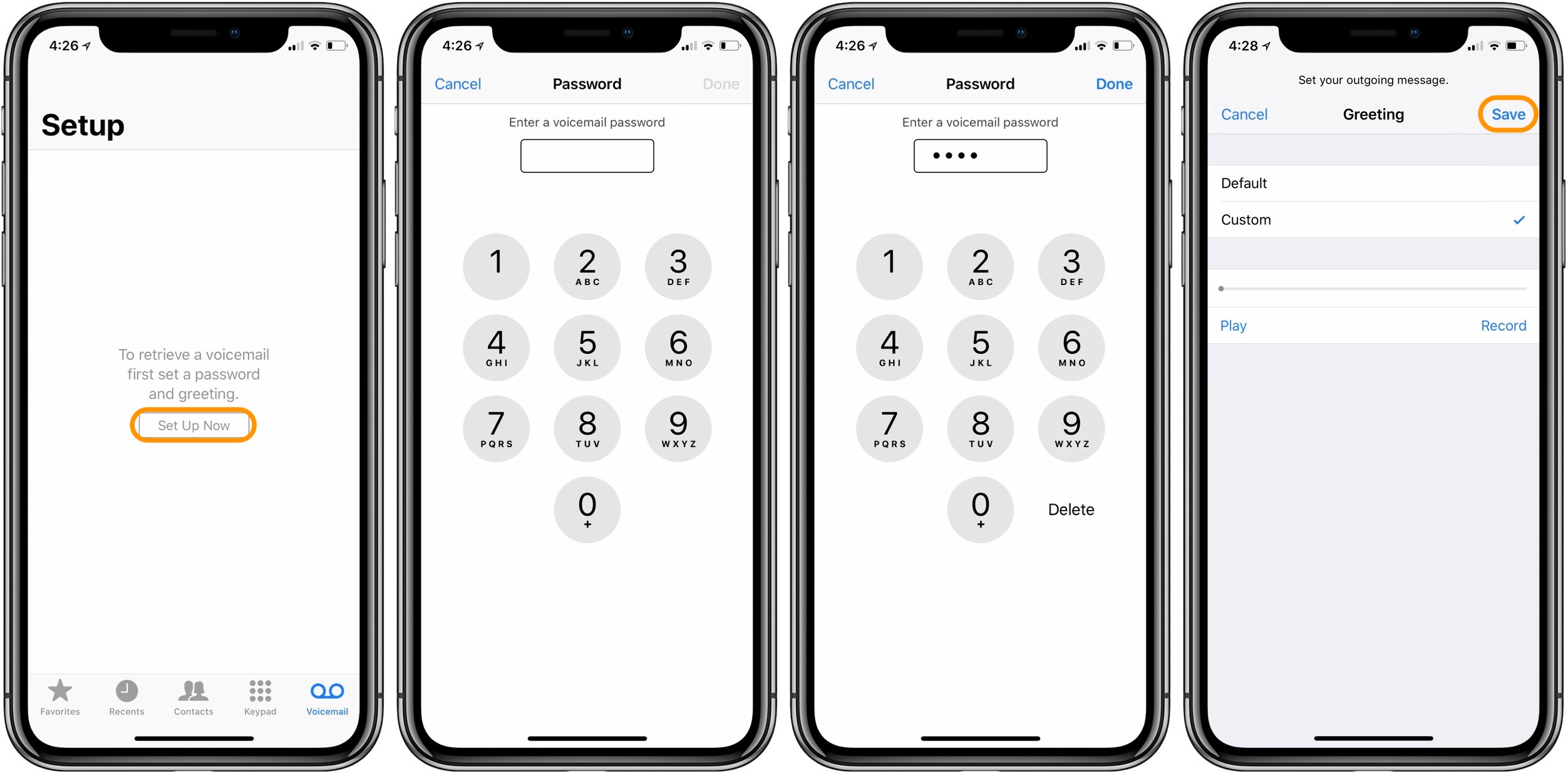 How To Set Up My Boost Mobile Voicemail? – XYXWD
Once you've entered your new password, press the pound key (#) to confirm. And just like that, you're back in the game!
Option 2: The tech-savvy way - Online.
If you're more of a digital native, you can reset your password online. Head on over to the Boost Mobile website, and log in to your account. Once you're in, click on 'Manage my plan', then 'Voicemail'. From there, it's smooth sailing. Just follow the prompts, and you'll be back in your voicemail inbox before you can say 'jackrabbit'.
But wait, there's more!
Did you know that you can also change your voicemail password using the Boost Mobile app? That's right, it's like having a little voicemail genie in your pocket. Just open the app, tap on 'Voicemail', then 'Change Password'. Easy peasy, lemon squeezy!
 How To Set Up Voicemail On Boost Mobile – Greeting, Passcode
Now, here's a fun fact for you. Did you know that the average person spends around 43 days of their life on hold? That's right, we're not just talking about phone calls here, we're talking about every hold button you've ever pressed. So, the next time you're waiting for that friendly voice prompt, just remember, you're not alone. We're all in this together, and we're all just trying to get our voicemail passwords back!
And there you have it, folks! You're now a voicemail password reset pro. So, the next time you find yourself staring at your phone, fingers hovering, you'll know exactly what to do. And who knows, maybe you'll even enjoy the process. After all, it's not every day you get to play Simon Says with your phone!
Stay tech-savvy, my friends, and until next time, happy resetting!
