How Do You Sign Out Of A Gmail Account

Alright, folks! Let's talk about something that's as simple as it is essential in our tech-savvy lives - signing out of Gmail. Now, I know what you're thinking, "Why do I need...

Alright, folks! Let's talk about something that's as simple as it is essential in our tech-savvy lives - signing out of Gmail. Now, I know what you're thinking, "Why do I need to sign out? I'm just gonna log back in later!" And you're right, but hear me out. Knowing how to sign out can be a game-changer, especially when you're using a shared device or just want a little digital 'me time'.
Why Bother Signing Out?
First things first, signing out of Gmail isn't just about logging off. It's about taking control of your digital space. It's like locking your front door when you leave home - sure, you might be back soon, but it's about peace of mind, right?
Keeping Your Info Safe
When you sign out, you're not just closing the door on your Gmail account, you're also keeping your personal information safe. You wouldn't want someone else reading your emails, would you? So, let's dive in and learn how to sign out like a pro!
Must Read
Signing Out on a Computer
Alright, let's start with the big screen. If you're on a computer, signing out is as easy as 1, 2, 3. First, click on that little profile picture or initial in the top right corner. Then, scroll down and click on 'Sign out'. And just like that, you're out!
Signing Out on a Mobile Device
Now, let's talk mobile. If you're using the Gmail app, tapping that profile picture or initial will bring up a menu. At the bottom, you'll see 'Manage accounts on this device'. Tap that, then tap your email address, and finally, tap 'Sign out'. Easy peasy!
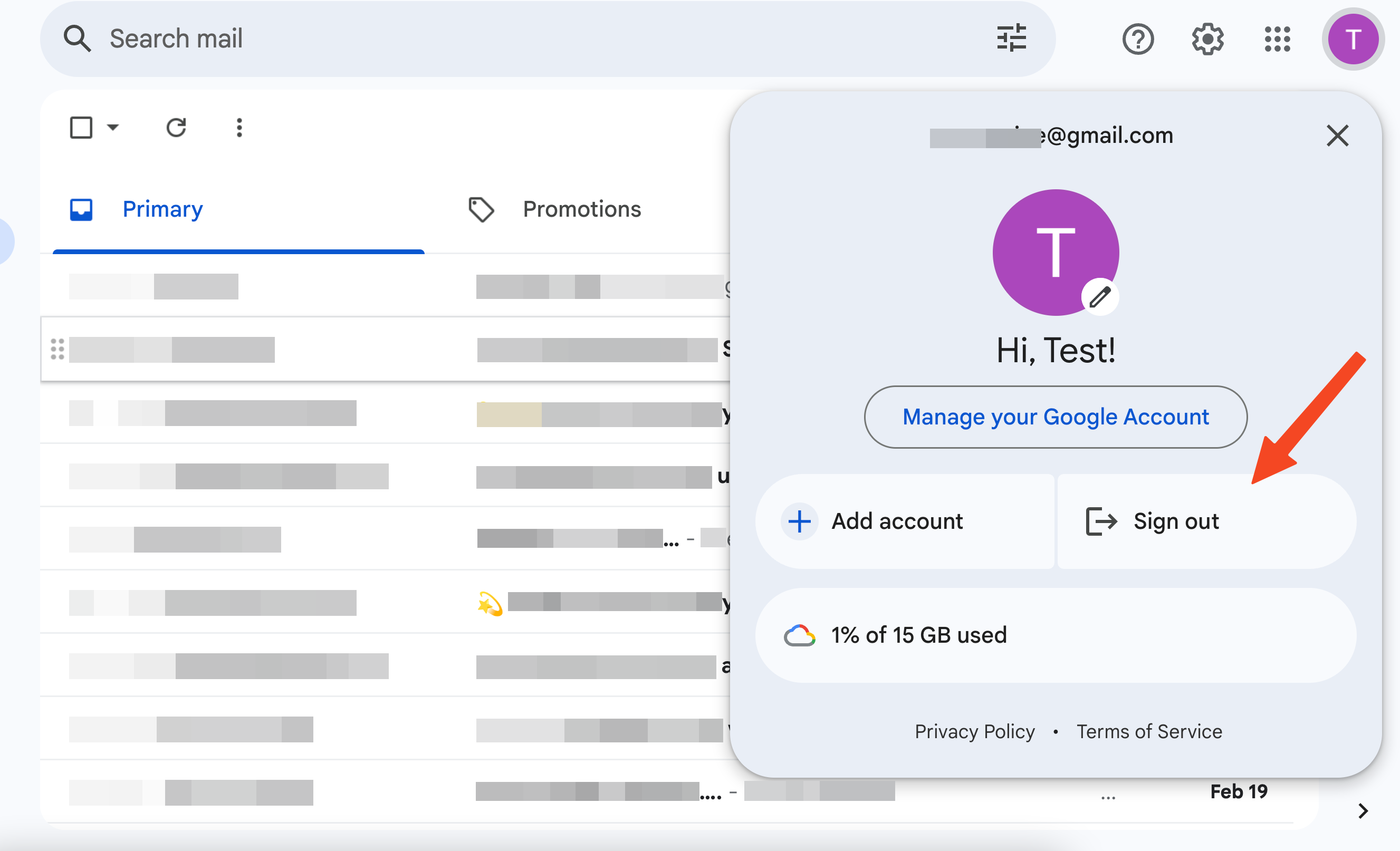 How to Sign Out of Gmail on Any Device or Remotely (2026)
Signing Out Remotely
But wait, there's more! Did you know you can sign out of Gmail remotely? That's right, you can kick someone out of your account from anywhere in the world. Just head to this page, click on the three dots next to the device you want to sign out of, and click 'Sign out'. It's like a digital eviction notice!
But What If I Forget to Sign Out?
Don't worry, Google's got your back. If you forget to sign out, Google will automatically sign you out after a certain period of inactivity. But remember, it's always better to sign out manually. It's like setting an alarm - sure, you might wake up naturally, but setting an alarm gives you that extra peace of mind.
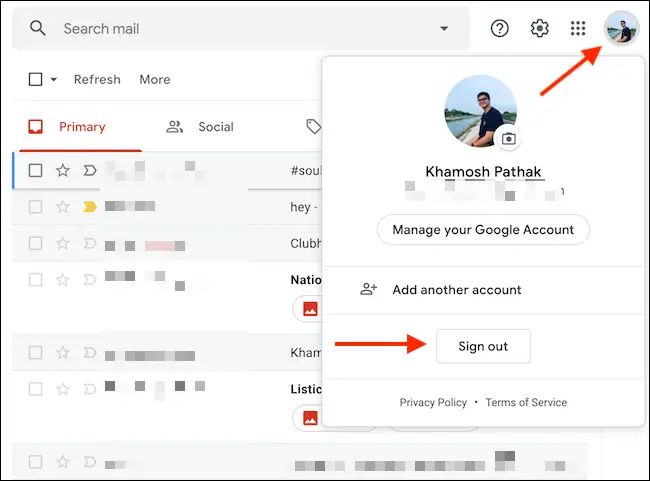 Steps to Sign Out of One Gmail Account from Desktop| Android
So, Why Should You Care?
Signing out of Gmail isn't just about security, it's about digital etiquette. It's about respecting other people's privacy and your own. It's about taking control of your digital life. And you know what? It feels good. It's like tidying up your workspace - you might not do it every day, but when you do, it's satisfying, isn't it?
So, go ahead, give it a try. Sign out of Gmail, take a digital break, and come back refreshed. Your inbox will still be there, I promise. And who knows, you might even start looking forward to signing out!
Remember, folks, technology is here to serve us, not the other way around. So, let's take control, stay safe, and have fun in this digital world. Until next time, stay curious, stay safe, and keep your digital doors locked!
