How To Find Search Ranking In Google

Alright, picture this: you've just baked the most scrumptious-looking cake, and you're dying to know if it's as delicious as it looks. You can't just ask Google, "Hey, how's m...
Alright, picture this: you've just baked the most scrumptious-looking cake, and you're dying to know if it's as delicious as it looks. You can't just ask Google, "Hey, how's my cake rankin'?" (well, you could, but let's not go there). So, you slice a piece, take a bite, and voilà! You've got your answer. Now, imagine Google Search is that cake, and you're trying to figure out where your website stands. Let's dive in and find out how to check your search ranking on Google, without needing a secret recipe or a magical taste test.
First Things First: What's a Search Ranking?
In simple terms, your search ranking is where your website appears in Google's search results when someone types in keywords related to your site. It's like lining up for the school cafeteria's famous chocolate chip cookies - if you're at the front, you're golden. But if you're at the back, well, you might be left with the sad, crumbly ones. That's why you want your website to be at the front of the line, or at least close to it.
Meet Your New Best Friend: Google Search Console
Google Search Console is like your personal tour guide in the vast world of Google Search. It's a free tool that helps you understand and improve how your site appears in Google Search results. Think of it as the ultimate cheat sheet for your Google Search ranking exam.
Must Read
To get started, you'll need to add your website to Google Search Console. Don't worry, it's as easy as adding your favorite cookie recipe to your Pinterest board. Just follow these steps:
- Go to Google Search Console.
- Click on the big, blue "Start now" button.
- Add your website and follow the prompts. It's like filling out a form for the coolest club ever.
Now, Let's Check Your Ranking!
Alright, you've added your website to Google Search Console. Now it's time to check your search ranking. Here's how:
 Test My Google Ranking: How to Check Your SEO Rankings with a Live
- Log in to your Google Search Console account.
- Click on "Search Results" in the left-hand menu, then click on "Average position".
- You'll see a graph with a line that goes up and down like a rollercoaster. That line represents your average search ranking for the past 90 days. The lower the line, the better your ranking.
But wait, there's more! You can also see the average position for specific keywords. Just click on "Queries" instead of "Average position", and you'll see a list of keywords along with their average ranking. It's like having a secret decoder ring for your website's popularity.
What If My Ranking Isn't So Hot?
Don't worry, even the most delicious cake can't be perfect every time. If your search ranking isn't where you want it to be, there are plenty of things you can do to improve it. Google Search Console can help with that too. It's like having a personal trainer for your website's online fitness.
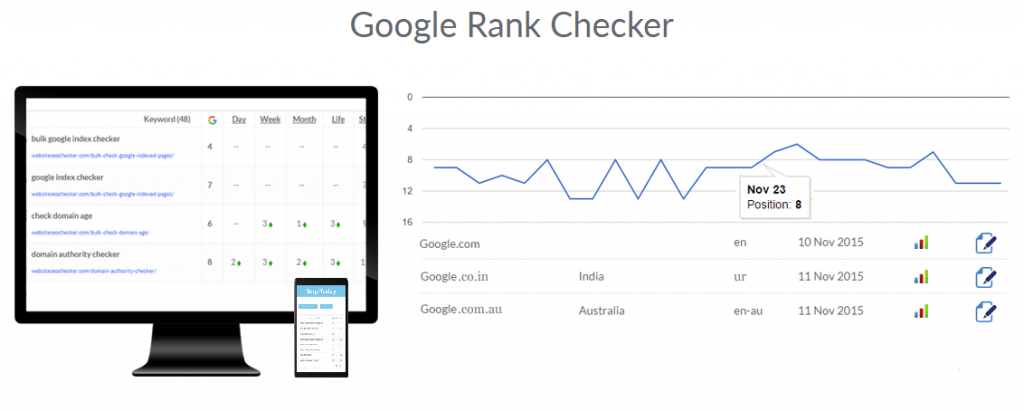 Search Engine Ranking | Google Ranking | Click Intelligence
For example, you can use the "Impressions" and "Clicks" data to see which keywords are bringing people to your site, and which ones aren't. You can also use the "Coverage" report to make sure Google can find and understand all the pages on your site. And if you're really feeling adventurous, you can use the "Manual Actions" report to check if Google has given you a timeout for breaking the rules (yes, Google has rules, and no, you don't want to break them).
Remember, Patience is a Virtue
Just like a good cake needs time to bake, improving your search ranking takes time too. You can't expect to go from the back of the line to the front overnight. But with a little patience, a lot of effort, and the help of Google Search Console, you'll see your website's ranking improve in no time.
So, there you have it. Checking your search ranking on Google is as easy as baking a cake (well, almost). Now go forth, check your ranking, and make your website the tastiest treat on the internet!
