Chamberlain Garage Door Keypad Reset

So, there I was, standing in my garage, staring at my Chamberlain garage door like it had grown a second head. I'd just come back from a week-long camping trip, and my trusty...

So, there I was, standing in my garage, staring at my Chamberlain garage door like it had grown a second head. I'd just come back from a week-long camping trip, and my trusty remote had decided it was on a permanent vacation. No buttons, no lights, nothing. I felt like I was in some kind of home invasion movie, except the intruder was my own garage door.
Now, I'm not one to give up easily. I mean, have you seen my collection of vintage records? I've fought off dust bunnies for those gems. So, I figured, how hard could it be to reset a garage door keypad? Turns out, it's not as straightforward as I thought. But fear not, dear reader, I've navigated the waters and I'm here to share my adventure with you.
First Things First: Understand Your Keypad
Before we dive into the reset process, let's get to know our enemy. I mean, friend. Chamberlain garage door keypads are pretty nifty. They let you in without fishing for your keys in the dark, or juggling a coffee and a briefcase. But like any tech, they can get finicky. So, let's start by locating your keypad's 'Learn' button. It's usually hidden under a light or a small door, so you might need a screwdriver to access it.
Must Read
Now, Let's Get Resetting
Alright, you've found the 'Learn' button. Great! Now, here's where things get a tad bit tricky. You've got to hold down the 'Learn' button for exactly 15 seconds. Yes, I said exactly. It's like trying to set your alarm to the perfect snooze time - too short, too long, it's all a delicate balance.
While you're holding down the 'Learn' button, you'll need to press any button on your keypad. Yes, any button. It's like playing a game of Simon, except the only thing that's going to light up is your hope of getting back into your garage.
 How to Reset Keypad on Chamberlain Garage Door
Once you've done that, release the 'Learn' button. If you've done everything right, you should see a green light flash. If not, well, you might want to try again. And again. And again. Until you get it right. Because, you know, persistence is key.
But Wait, There's More!
So, you've reset your keypad. Congratulations! You're now the proud owner of a garage door that's ready to learn a new code. But wait, you might be thinking, what if I want to change my code? Or add a new remote? Well, my friend, you're in luck. The process is pretty much the same.
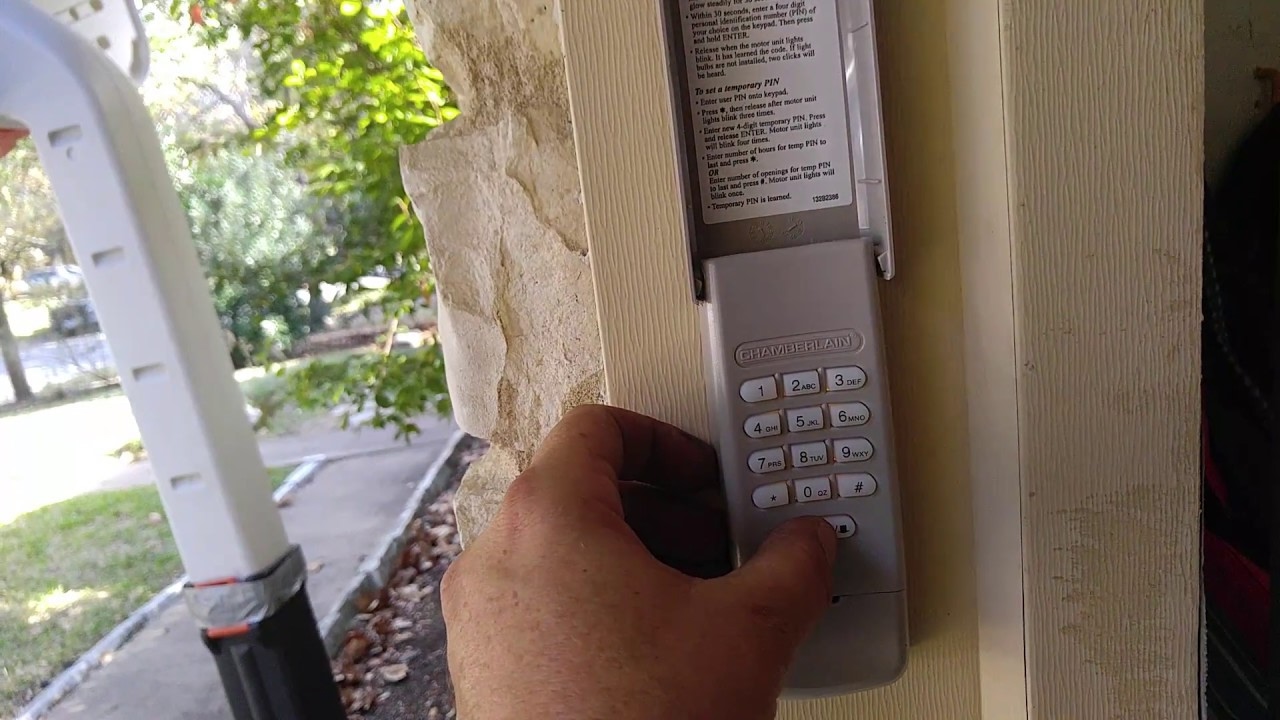 How To Reset Chamberlain Garage Door Opener Keypad Without Code | Storables
First, you'll need to enter your current code into the keypad. Then, you'll hold down the 'Learn' button again for those magical 15 seconds. After that, you can program in your new code or add a new remote. It's like teaching a toddler a new word - repeat it enough times, and eventually, it'll stick.
And That's a Wrap!
And there you have it, folks. Resetting your Chamberlain garage door keypad is like teaching an old dog new tricks. It takes a bit of patience, a bit of persistence, and a bit of finesse. But with a little bit of elbow grease, you'll be back to enjoying the convenience of your garage door keypad in no time.
So, the next time your garage door decides to go on strike, don't panic. Just grab your screwdriver, hold down that 'Learn' button, and remember: you've got this. And if all else fails, well, there's always the good old-fashioned key. But let's be honest, who wants to do that when you can have the satisfaction of outsmarting your garage door?
