How To Know The Screen Size Of Laptop

Ever found yourself in a tech store, eyes glazing over as you try to decipher the laptop spec sheet? You're not alone. But don't worry, we're here to make your laptop shopping...

Ever found yourself in a tech store, eyes glazing over as you try to decipher the laptop spec sheet? You're not alone. But don't worry, we're here to make your laptop shopping experience as smooth as a freshly brewed pour-over. Let's dive in and demystify screen sizes, shall we?
Size Matters: Understanding Laptop Screens
First things first, why does screen size even matter? Well, it's not just about bragging rights. The size of your laptop's screen directly impacts your viewing experience, productivity, and even your posture. Think of it like Goldilocks - you want it just right.
Screen sizes are typically measured diagonally, in inches. But here's a fun fact: did you know that the first laptop, the IBM 5100, had a whopping 5-inch screen? Talk about progress!
Must Read
Ultraportables: The Mini Marvels
Kicking off our size guide are ultraportables, the pint-sized powerhouses. These laptops usually sport screens between 11 to 13 inches. They're perfect for students, travelers, or anyone who values portability over screen real estate.
Think of them as the MacBook Air of the world - sleek, light, and ready to slip into your bag at a moment's notice. Just don't expect to edit 4K videos on one. That's what the bigger boys are for.
Mid-size Magic: The Goldilocks Zone
Now we're talking. Mid-size laptops, typically 14 to 16 inches, offer a sweet spot between portability and productivity. They're great for everyday use, from browsing Netflix to crunching numbers in Excel.
These laptops are the workhorses of the industry. They're what you'll find in most offices and universities. And let's not forget, they're perfect for binge-watching your favorite shows on the commute. Just don't tell your boss.
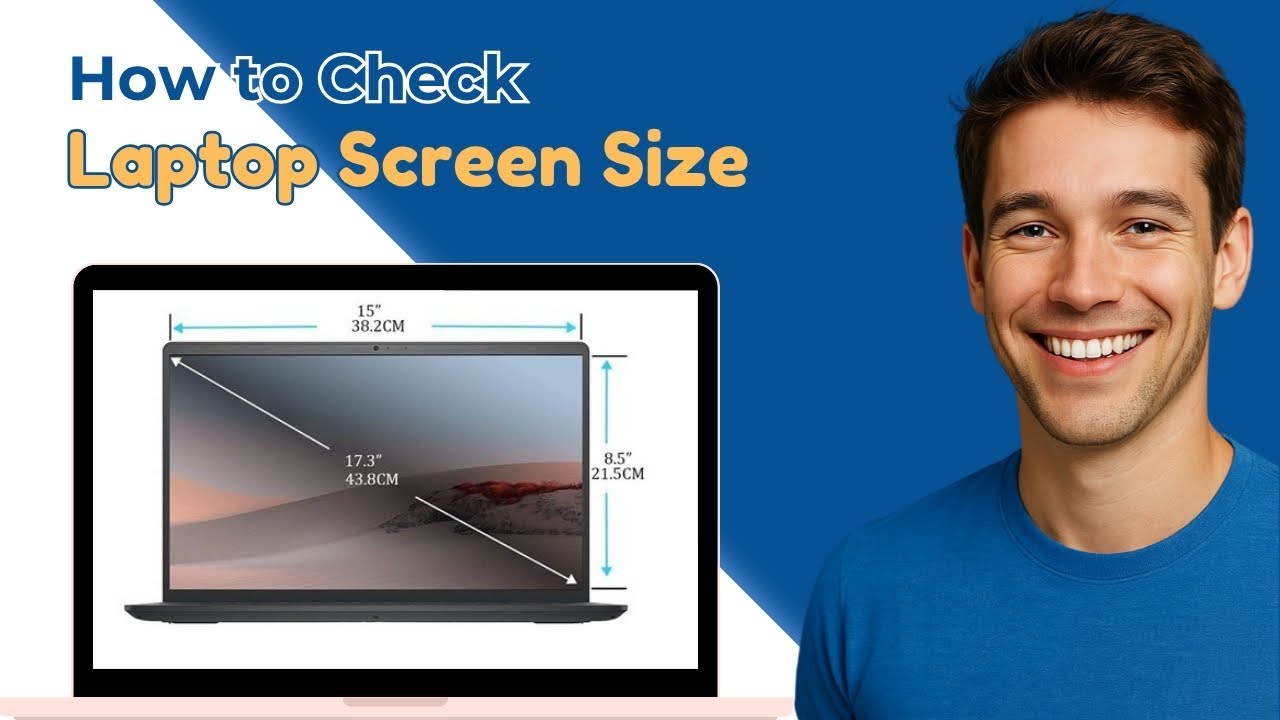 How To Check Laptop Screen Size (Quick Guide) - YouTube
Big and Bold: The Desktop Replacements
Alright, now we're getting serious. Laptops with screens 17 inches and above are the heavy hitters, the desktop replacements. They're big, bold, and ready to handle anything you throw at them.
Think of them as the SUVs of the laptop world - spacious, powerful, and not afraid to get a little dirty. They're perfect for multimedia editing, gaming, or anyone who just wants a little extra real estate.
But remember, with great size comes great responsibility. These laptops can be a bit bulkier and heavier, so they might not be the best choice if you're always on the go.
Resolution: The Other Half of the Equation
Alright, so you've got your size picked out. But wait, there's more! You've also got to consider resolution. It's what makes your movies look cinematic and your games look, well, game-y.
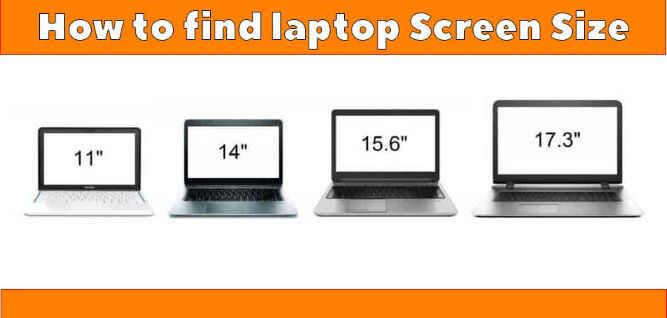 5 Ways How to Find Laptop Screen Size in Windows 10
Here's a quick rundown: 1366x768 is the baseline, 1920x1080 (Full HD) is the sweet spot, and anything above that (like 4K) is overkill for most people. But hey, who are we to judge if you want to live life in ultra-sharp detail?
Practical Tips: Finding Your Perfect Fit
So, how do you know what size is right for you? Here are a few tips:
- Try before you buy. Head to your local electronics store and get hands-on with a few different sizes. See what feels comfortable.
- Consider your needs. If you're a gamer or a multimedia editor, you might want to go bigger. But if you're just browsing the web and checking emails, smaller might be better.
- Think about your posture. A smaller screen might mean you hunch over more. So, consider your ergonomics too.
Reflection: The Perfect Screen Size is a Personal Thing
At the end of the day, the perfect screen size is a deeply personal thing. It's about what feels right to you, what works for your lifestyle, and what makes you happy. So, don't stress too much about the numbers. Just find something that feels good and let the good times roll.
And remember, no matter what size you choose, you're part of a long, proud tradition of laptop users. From the IBM 5100 to the latest gaming beasts, we're all just trying to find our perfect screen size. So, happy hunting!
