How To Logout Of Gmail On Mobile Phone

Hey there, tech-savvy friend! Ever found yourself scrolling through your emails on your mobile, only to realize you've been at it for hours? No worries, we've all been there....
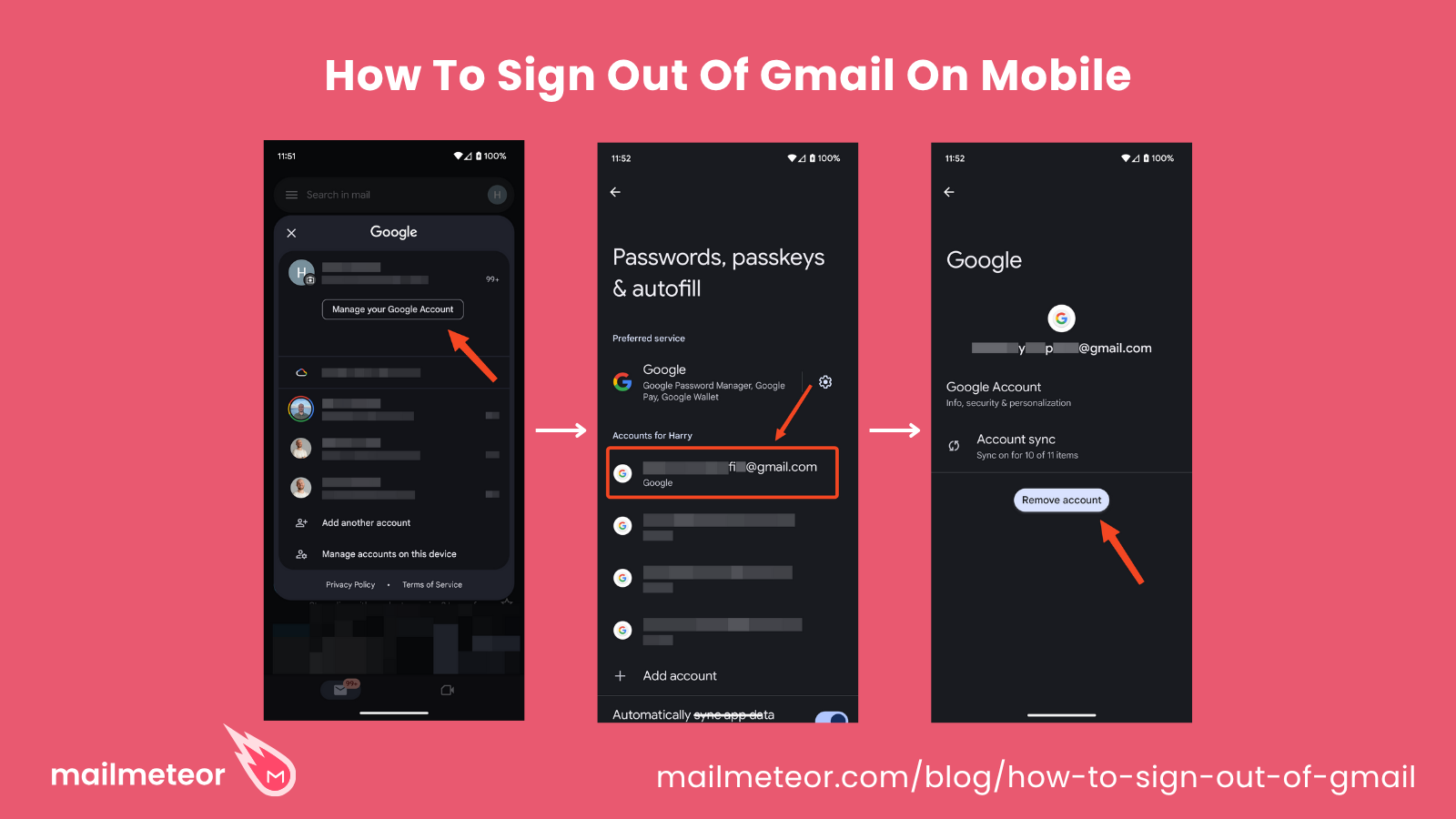
Hey there, tech-savvy friend! Ever found yourself scrolling through your emails on your mobile, only to realize you've been at it for hours? No worries, we've all been there. But what if I told you there's a super-easy way to log out of Gmail on your mobile phone? Yep, you heard it right! Let's dive in and make your digital life a breeze.
Why Bother Logging Out?
First things first, why should you log out of Gmail on your mobile? Well, aside from giving your thumbs a much-needed break, logging out can help keep your account secure. It's like locking your front door when you leave home - you never know who might wander in otherwise!
Logging Out: The Easy Peasy Way
Now, let's get down to business. Logging out of Gmail on your mobile is as simple as 1, 2, 3. Ready? Here we go!
Must Read
Step 1: Find the Menu
First things first, you need to find the menu. It's hiding at the top left corner of your screen, looking like three little lines stacked on top of each other. Give it a tap, and voila! A whole new world of options appears.
Step 2: Say Hello to 'Settings'
In this magical menu, you're looking for a little gear icon. That's right, it's 'Settings'. Tap on it, and you'll be taken to a page that looks like it's straight out of a tech manual. Don't be intimidated, we're almost there!
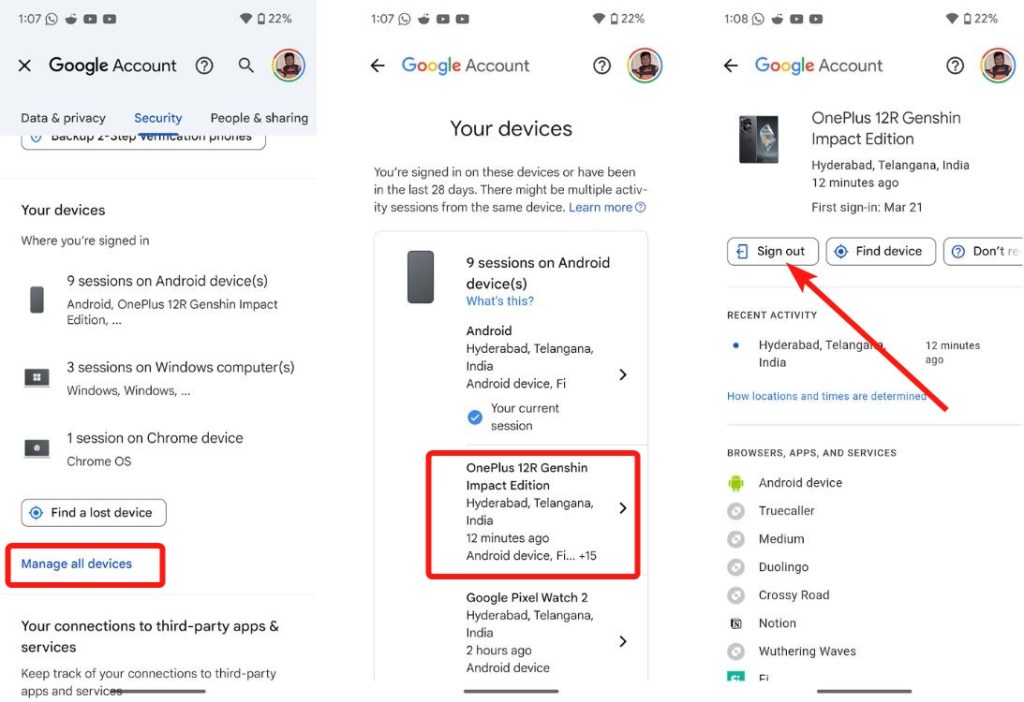 How to Log Out of Your Gmail Account on Any Device | Beebom
Step 3: The Final Countdown
At the very bottom of this page, you'll see an option that says 'Manage Accounts on this device'. Tap on it, and you'll be taken to a page where all your accounts are listed. See that little power icon next to your Gmail account? That's your cue to tap it.
And there you have it! You've just logged out of Gmail on your mobile. Wasn't that a breeze?
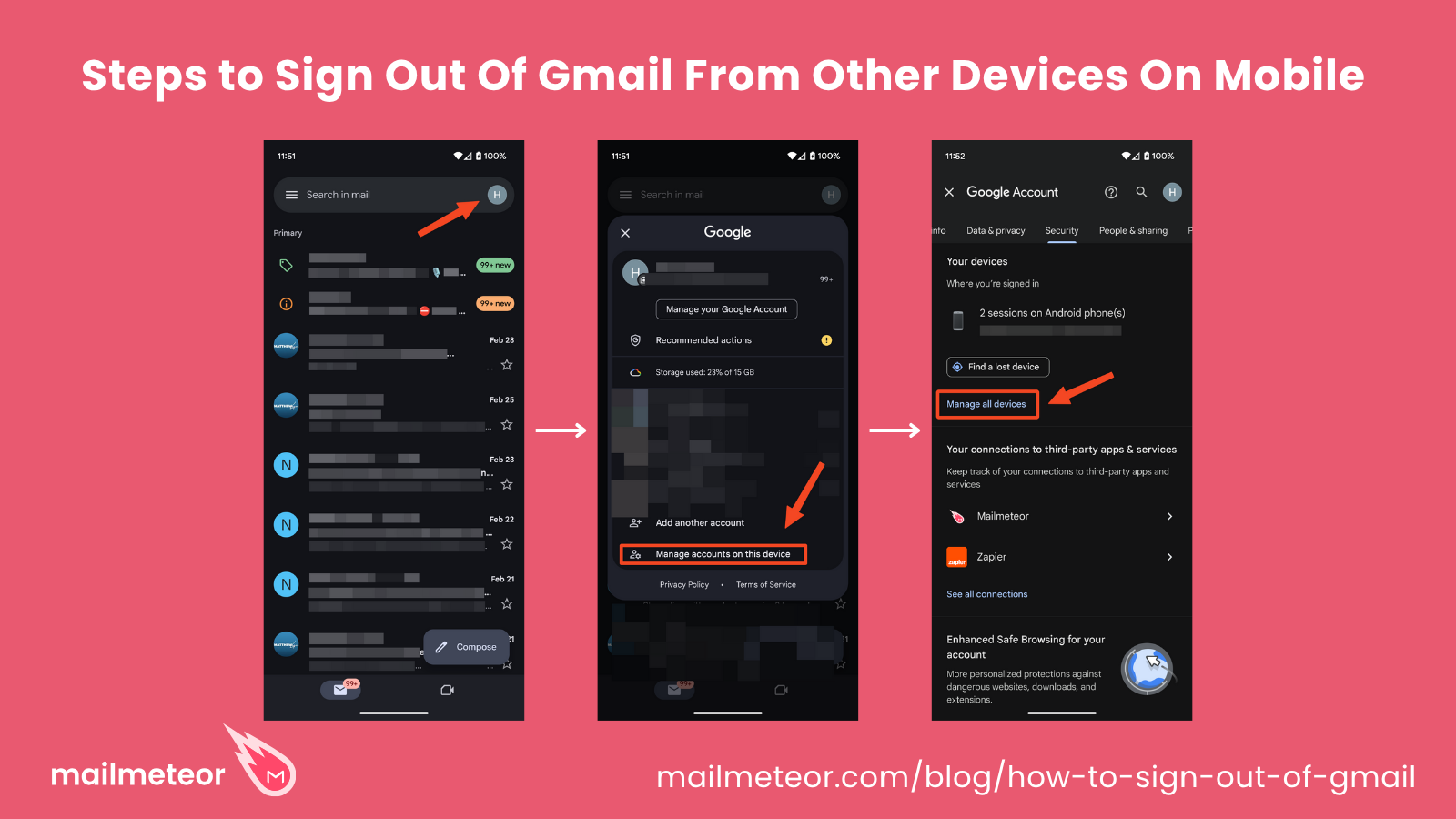 How to Sign Out of Gmail on Any Device or Remotely (2026)
But Wait, There's More!
Now that you're a logging-out pro, why stop at Gmail? You can apply the same steps to log out of other Google apps like YouTube or Google Drive. Just follow the same path - Menu, Settings, and then look for the account you want to log out of.
Remember, It's Okay to Take Breaks
Logging out of your accounts isn't just about security, it's also about taking a break. It's like telling your brain, "Hey, it's time to focus on something else now." So go ahead, log out, and enjoy the world around you. Your emails will still be there when you get back!
And remember, every little step you take towards digital wellness is a win. So keep exploring, keep learning, and keep making your tech life work for you, not the other way around. You've got this, tech superhero!
