How To Print Out Powerpoint With Notes

Ever found yourself in a pickle, trying to print out your PowerPoint presentation with those handy notes you've jotted down? You're not alone, my friend. It's like trying to h...
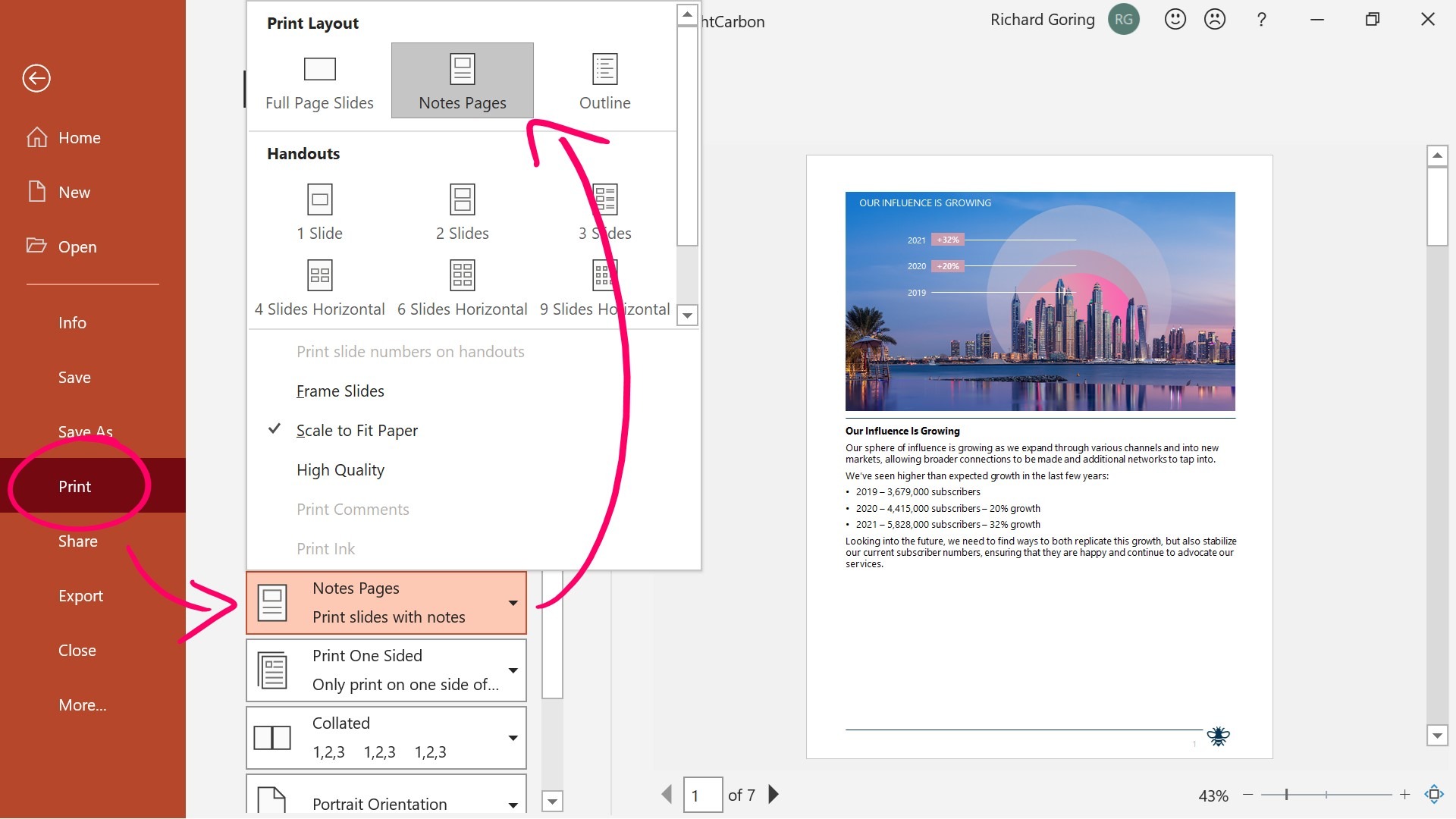
Ever found yourself in a pickle, trying to print out your PowerPoint presentation with those handy notes you've jotted down? You're not alone, my friend. It's like trying to herd cats, right? But fear not, for I am here to shed some light on this mysterious art. Let's dive in, shall we?
Why Print Out PowerPoint With Notes?
First things first, why would you want to print out your PowerPoint with notes? Well, it's like having a secret weapon. You've got your presentation on the big screen, and then, bam! You've got your own personal cheat sheet right there in your hands. It's like having a teleprompter, but way cooler because, you know, it's paper.
Maybe you're a visual learner, or perhaps you just want to have a backup plan in case the tech gods decide to take a coffee break. Whatever your reason, printing out your PowerPoint with notes is like having a safety net. And who doesn't love a good safety net?
Must Read
Let's Get Technical
Alright, so you're convinced. You're ready to print out your PowerPoint with notes. But where do you start? It's like trying to navigate a maze, but don't worry, I've got the map.
First things first, you need to make sure your notes are visible in the first place. In PowerPoint, click on the 'View' tab, then click on 'Notes Page'. This should reveal your notes like a magic trick. If they're not there, it's like trying to find a needle in a haystack, but don't panic, just click on 'Show Notes' in the 'Notes' panel.
Printing Your PowerPoint With Notes: The Easy Way
Now that your notes are visible, it's time to print. But wait, there's a trick to this. You can't just click 'File', then 'Print'. That's like trying to catch a slippery fish with your bare hands. No, no, no. You've got to be sneaky.
Here's the secret: Click on the 'File' tab, then click on 'Print'. But don't stop there! Look at the bottom of the screen, see that little drop-down menu that says 'Handouts'? Click on that. It's like finding a hidden treasure.
Now, you've got options. You can print your slides with your notes, or just your notes. It's like choosing between a delicious cake or a mouth-watering pie. But for now, let's choose '3 Slides per Page'. This way, you'll get three slides with their corresponding notes on each page. It's like a PowerPoint buffet!
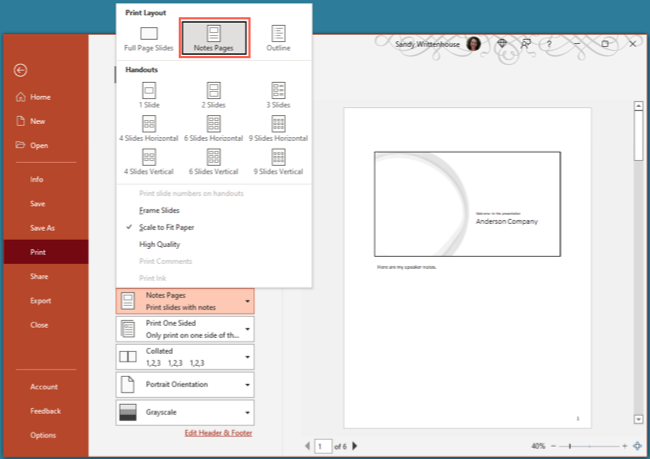 How to Print a PowerPoint with Notes
Then, click on 'Print'. It's that easy. You've just printed out your PowerPoint with notes like a pro. You're like a secret agent, but instead of saving the world, you're saving your presentation. And that's pretty cool too.
Printing Your PowerPoint With Notes: The Fancy Way
But wait, there's more! If you're feeling fancy, you can customize your printout. It's like designing your own superhero costume.
Back in the 'Print' screen, click on the little arrow next to '3 Slides per Page'. This will give you more options. You can choose to print your slides with your notes, or just your notes. You can even choose how many slides you want on each page. It's like being a kid in a candy store, but with PowerPoint.
And if you're really feeling adventurous, you can click on 'Customize'. This will let you choose exactly what you want to print. It's like having a personal tailor, but for your PowerPoint. You can choose to print just the slide titles, or just the notes. You can even choose to print the slide numbers. It's like having your own little PowerPoint theme park.
Why It's Cool
So, why is printing out your PowerPoint with notes cool? Well, for one, it's like having a secret weapon. You've got your presentation on the big screen, and then, bam! You've got your own personal cheat sheet right there in your hands. It's like having a safety net, but way cooler because, you know, it's paper.
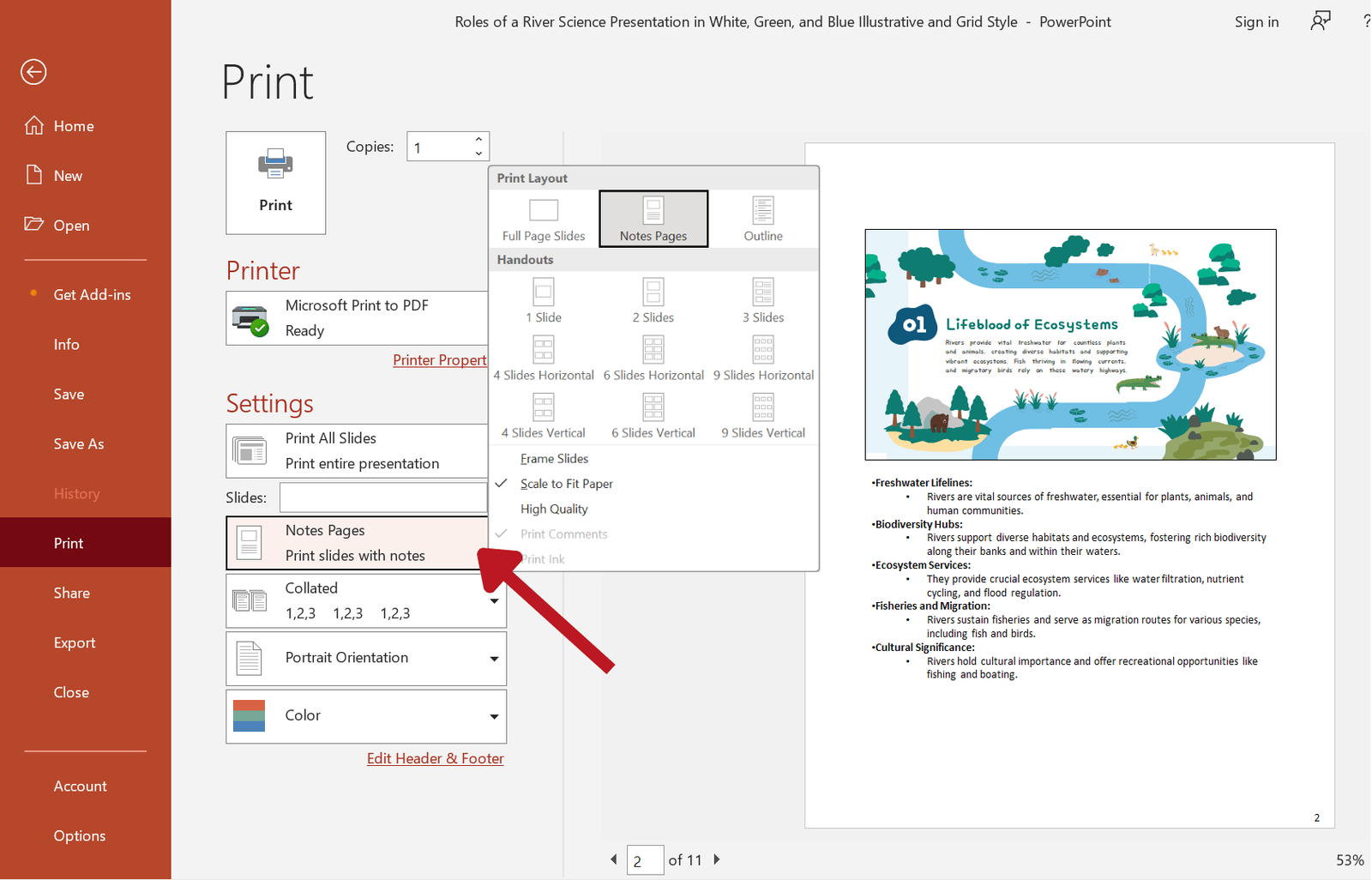 How To Add, Remove, View And Print PowerPoint Speaker Notes | ClassPoint
But it's also cool because it's like having a backup plan. You never know when the tech gods might decide to take a coffee break. And when they do, you'll be ready. You'll be the hero of the presentation, saving the day with your trusty printout.
Plus, it's just plain handy. You can make notes on your notes, or use them to practice your presentation. It's like having a dress rehearsal, but with paper. And who doesn't love a good dress rehearsal?
Why It's Interesting
But printing out your PowerPoint with notes isn't just cool, it's interesting too. It's like a little puzzle you have to solve. You've got to figure out how to make your notes visible, and then you've got to figure out how to print them out. It's like a game, but with PowerPoint.
And it's interesting because it's a skill. It's like learning to ride a bike, but with paper. Once you know how to do it, you can do it anywhere. You can print out your PowerPoint with notes at home, at work, or even at the local coffee shop. It's like having a superpower, but with ink.
So, What Are You Waiting For?
There you have it, folks. The mysterious art of printing out your PowerPoint with notes, demystified. It's like learning a secret language, but with PowerPoint. So, what are you waiting for? Get out there and start printing. The world of PowerPoint awaits!
