Free Video Editing Software For Iphone

Why Did the Chicken Cross the Playground? To Film Its Epic Journey with Free iPhone Video Editing Software! Alright, folks, gather 'round. I've got a tale to tell about our f...
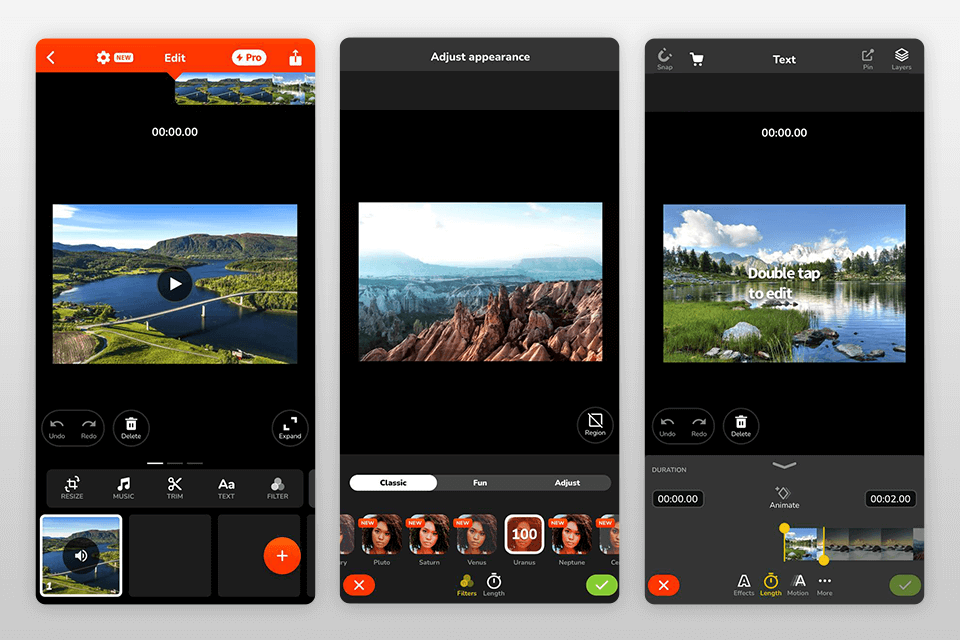
Why Did the Chicken Cross the Playground? To Film Its Epic Journey with Free iPhone Video Editing Software!
Alright, folks, gather 'round. I've got a tale to tell about our feathered friend, Cluck Norris, and his cinematic masterpiece. Now, you might be thinking, "Chickens can't use iPhones, let alone edit videos!" Well, hold onto your hats, because we're about to dive into the wonderful world of free video editing software for iPhone, where even our feathery friends can become the next Spielberg. So, grab a coffee, and let's get started!
Meet the Freebies: iMovie, CapCut, and InShot
First things first, let's introduce our heroes of the hour. Now, I know what you're thinking, "But I thought you said Cluck Norris was the star of the show!" Well, yes, but he's not exactly rolling in cash for expensive software. So, we're going to check out some free video editing apps that won't break the bank (or the chicken's) – iMovie, CapCut, and InShot.
iMovie, you might know, is Apple's own little gem. It's like the kid next door who's always been there, but you never really noticed how awesome they were until now. CapCut and InShot, on the other hand, are the new kids on the block, ready to show off their fancy tricks. But don't worry, they're all easy to use, even for a chicken (or a tech newbie).
Must Read
iMovie: The OG of iPhone Video Editing
Let's start with iMovie, the granddaddy of them all. It's been around since the dawn of time (well, since 1999, but who's counting?). This app is like the Swiss Army knife of video editing – it's got everything you need, and it's all right there at your fingertips. You can cut clips, add transitions, throw in some snazzy titles, and even add a little music to set the mood. And the best part? It's already on your iPhone, just waiting for you to give it a whirl.
Now, you might be thinking, "But what if I want to get fancy? What if I want to add some special effects, like, I don't know, a chicken dancing the tango?" Well, hold onto your butts, because iMovie's got you covered. You can add filters, slow-mo, and even green-screen effects to make your chicken look like it's dancing in the streets of Buenos Aires. (Or, you know, just in your backyard. I don't judge.)
CapCut: The New Kid with Some Serious Moves
Alright, now let's talk about CapCut. This app is like the cool cousin who always shows up to the party with the latest gadgets and the best dance moves. It's got a sleek interface, and it's packed with features that'll make your videos look like they were edited by a professional (even if that professional is a chicken).
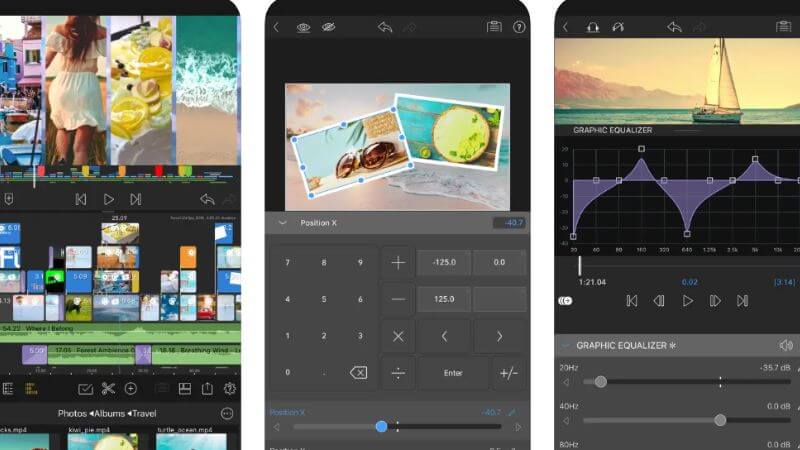 The 15+ Best Video Editing Apps For IPhone You Can Use
CapCut's got a huge library of music, effects, and stickers that'll make your videos pop. And get this – it can even stabilize shaky footage. So, if Cluck Norris is filming his epic journey while running from the fox, you won't have to worry about motion sickness. (Although, I can't promise the fox won't make an appearance in the final cut.)
InShot: The App That's Got Your Back (and Your Videos)
Last but not least, we've got InShot. This app is like the best friend who's always got your back, no matter what. It's got a clean, user-friendly interface, and it's packed with features that'll help you make your videos look amazing. You can add effects, music, text, and even draw on your videos like a fancy schmancy artist.
But here's where InShot really shines – it's got a built-in video compressor. So, if your chicken's masterpiece is looking a little on the long side, you can shrink it down without losing quality. (Although, I can't promise Cluck Norris won't be a little miffed about his magnum opus being cut down to size.)
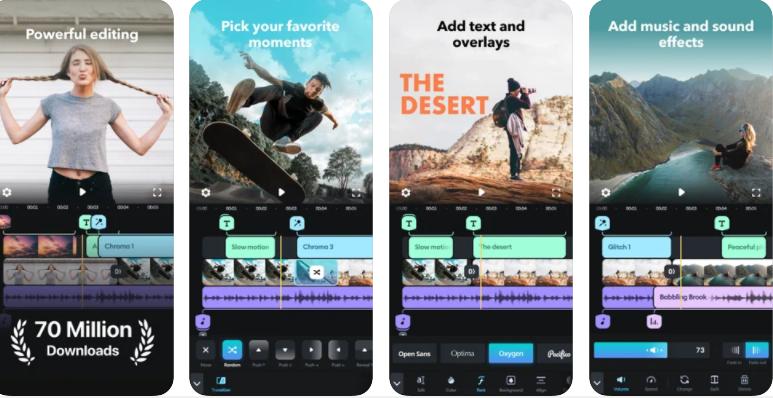 [Updated!] 8 Best Free Video Editing Apps for iPhone without Watermark
Surprising Fact: You Can Edit Videos Upside Down (But Should You?)
Now, you might be thinking, "All this sounds great, but I've got one question – can I edit videos upside down?" Well, I'm glad you asked. Yes, you can! Both iMovie and CapCut allow you to rotate your videos 180 degrees, so you can edit them upside down. (InShot, unfortunately, doesn't offer this feature, but it does let you rotate your videos within the app.)
But here's the thing – just because you can do something, doesn't mean you should. Editing videos upside down is a bit of a niche skill, and it's not exactly easy to pull off. (Trust me, I tried it with Cluck Norris's video, and let's just say the chicken looked a little... confused.) So, while it's a fun party trick, it's probably best to leave the upside-down editing to the professionals (or the chickens with a very specific vision).
The Moral of the Story: Free Video Editing Software is the Real MVP
Alright, folks, we've reached the end of our little journey. And you know what? I think Cluck Norris's video turned out pretty darn good. Sure, it might not be the next "Citizen Kane," but it's got heart, it's got soul, and most importantly, it's got a chicken dancing the tango. And that, my friends, is what video editing is all about.
So, whether you're a chicken with a dream, or a human with a smartphone, there's a free video editing app out there just waiting for you. So, go forth, create, and most importantly, have fun. And remember – if a chicken can make a masterpiece, imagine what you can do!
