How To Access Pictures On Google Cloud

Ever felt like you've got a digital attic full of photos, scattered across various devices and platforms? You're not alone! We snap, we store, but sometimes, finding that perf...
Ever felt like you've got a digital attic full of photos, scattered across various devices and platforms? You're not alone! We snap, we store, but sometimes, finding that perfect pic can feel like searching for a needle in a haystack. That's where Google Cloud steps in, like your very own digital butler, ready to help you access and organize your pictures with ease.
Why Should You Care?
Imagine this: You're at a family gathering, and your niece asks, "Auntie, do you have a picture of when I was a baby?" You rack your brain, trying to remember where you saved that adorable snap. Sound familiar? This is where Google Cloud can be your lifesaver. It's like having a personal photo album that's always with you, no matter where you are.
But it's not just about nostalgia. Having all your photos in one place can help you declutter your devices, free up storage space, and even backup your precious memories. Plus, it makes sharing a breeze. No more emailing photos to yourself or using clunky file-sharing sites. With Google Cloud, sharing is as simple as a few clicks.
Must Read
Alright, Let's Get Started!
First things first, you'll need a Google account. If you're reading this, chances are you already have one. If not, don't worry, signing up is as easy as pie. Just head over to Google's sign-up page and follow the prompts.
Uploading Your Pics
Now that you're all set up, let's start uploading your photos. Here's how:
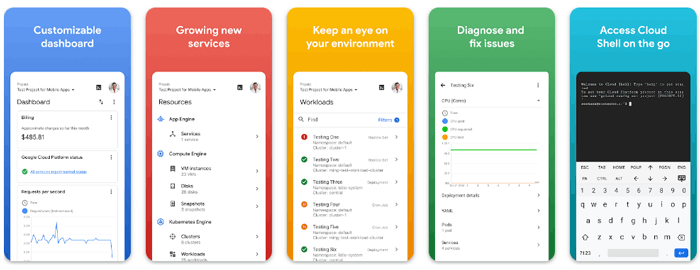 How to Access Google Cloud on Android Devices (4 Ways)
- Go to Google Photos.
- Click on the 'Upload' button. It's that big, blue circle with a cloud and an arrow.
- Select the photos you want to upload. You can choose individual photos or entire folders.
- Wait for the upload to complete. The time it takes depends on how many photos you're uploading and your internet speed.
Once your photos are uploaded, they'll be organized by date. But don't worry, you can always create albums or use the search function to find specific photos. Google Photos uses facial recognition and other clever tech to make searching a breeze.
Accessing Your Pics
Now that your photos are in the cloud, you can access them from anywhere. Here's how:
- On your computer: Just go to Google Photos and sign in.
- On your phone: Download the Google Photos app from the App Store or Google Play Store, then sign in.
And that's it! You're now ready to access, organize, and share your photos with ease. No more lost pics, no more storage worries. Just you, your memories, and Google Cloud.
 How to Access Google Cloud: A Step-by-Step Guide for Beginners - Smart
But Wait, There's More!
Google Cloud isn't just about storing your photos. It also offers some pretty nifty features:
- Free Storage: Google Photos gives you free, unlimited storage for your photos. That's right, you read it correctly. Unlimited. For free.
- Automatic Backup: You can set Google Photos to automatically backup your photos and videos from your phone. No more worrying about losing your precious memories.
- Creative Tools: Google Photos offers a range of editing tools, as well as fun features like 'Creative' which can turn your photos into works of art.
So, what are you waiting for? Start your Google Cloud journey today. Your photos deserve a home, and Google Cloud is ready to welcome them with open arms.
Happy snapping, and until next time, keep your photos safe and close at hand with Google Cloud!
