Where To Find Project Url In Supabase

Ever found yourself staring at a blank screen, wondering where the heck to even *start* with your next project? Maybe you’ve got a brilliant idea brewing—like a killer app, a...

Ever found yourself staring at a blank screen, wondering where the heck to even start with your next project? Maybe you’ve got a brilliant idea brewing—like a killer app, a sleek dashboard, or even just a fun little tool to organize your chaotic life—but you’re stuck on the first step. Fear not! Supabase is here to save the day, and today, we’re diving into one of its most useful (and slightly hidden) features: where to find your project URL. Think of it as the golden ticket to your digital playground.
First things first: if you’re new to Supabase, imagine it as your personal database superhero. It’s free, it’s fast, and it lets you build amazing things without needing a PhD in computer science. But even superheroes need a way to share their powers, right? That’s where your project URL comes in—it’s like the address of your digital hideout where all the magic happens.
Step 1: Log In and Get Cozy
Before you can find your project URL, you’ve got to log into your Supabase dashboard. If you don’t have an account yet, don’t worry—it’s as easy as signing up for your favorite streaming service. Just head over to supabase.com, click that shiny "Sign Up" button, and boom: you’re in.
Must Read
Once you’re logged in, you’ll land on your projects dashboard, which looks a bit like a control panel for your digital empire. If you’ve already created a project, great! If not, no stress—we’ll get to that in a sec. For now, just take a moment to admire the sleek, minimalist vibe. It’s like your own personal tech sanctuary.
Step 2: Find Your Project
If you’ve got multiple projects (because, let’s be honest, we all do), you’ll see a list of them on the dashboard. Each one is like a little digital pet—you’ve got to pick the right one to play with today. Click on the project name to open it up, and suddenly, you’re transported into its world.
Pro tip: If you’re not sure which project is which, don’t panic. Supabase keeps things organized with names and descriptions. Think of it like labeling your snacks in the fridge—no more mystery leftovers!
Step 3: The URL Is Waiting for You
Now, here’s where things get fun. Once you’ve opened your project, look at the top of the page. You’ll see a URL in the browser’s address bar—something like https://app.supabase.com/project/[your-project-name]. That’s your project’s public URL, but it’s not the one you’re looking for yet. We’re talking about the database URL, and it’s even more powerful.
 Supabase - pg_graphql
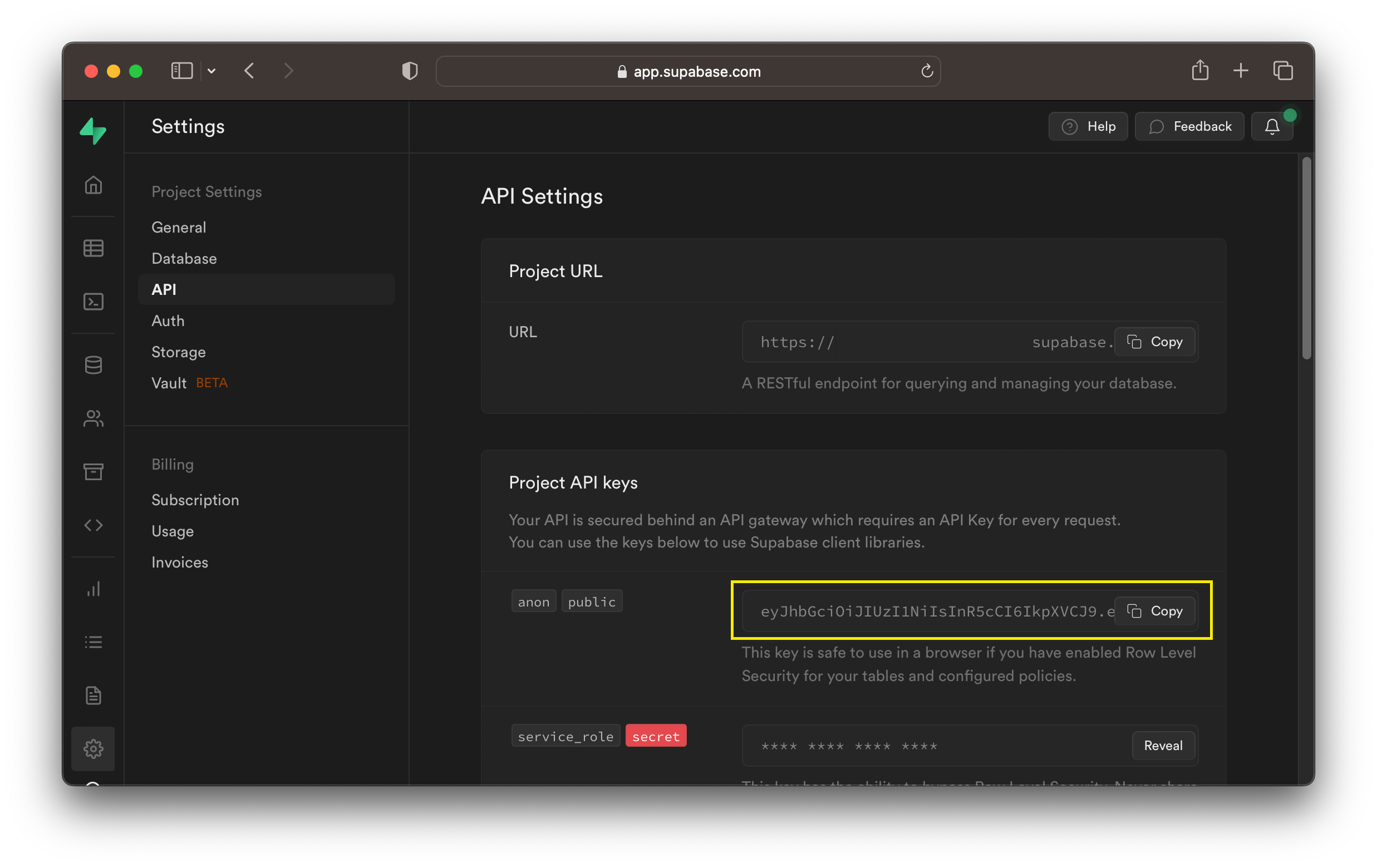
To find it, click on the "Project Settings" tab (it’s usually tucked away in the left sidebar). This is where Supabase keeps all the juicy details about your project. Scroll down a bit, and you’ll spot a section called "Project URL"—but wait, it’s not just one URL. There are a few!
Meet the Supabase URL Family
Let’s break it down like a fun little menu:
- Project URL: This is the main dashboard link we mentioned earlier. Think of it as the front door to your project.
- Database URL: This is the real deal. It looks something like
postgres://[your-project-name]-[random-characters].supabase.co. This is the address your app will use to talk to your database—like the secret handshake between your app and your data. - API Endpoint: If you’re feeling fancy, this is where your app will send requests to interact with your database. It’s usually
https://[your-project-name].supabase.co. Imagine it as the bouncer at the club—it lets your app in and out of the database party.
For most people, the Database URL is the star of the show. It’s the one you’ll need to plug into your app’s configuration files. No need to memorize it—just copy it and paste it wherever you’re building. Supabase makes it easy!
Step 4: Share the Love (or Keep It Secret)
Now, here’s where things get interesting. If you’re working solo, you can keep your Database URL to yourself like a secret recipe. But if you’re collaborating with friends or teammates, you might want to share it—just make sure they know it’s sensitive stuff. Think of it like your Wi-Fi password: don’t just shout it from the rooftops.
Pro move: If you’re worried about security, Supabase has row-level security and other cool features to keep your data safe. It’s like having a bouncer who only lets the right people in!
 How to Find Your Project URL and API Key in Supabase - YouTube
Why This Matters (Beyond Just Finding a URL)
Finding your project URL isn’t just about checking a box—it’s your first step into a world where you get to build something amazing. Whether you’re making a side project, a hobby app, or even a business, Supabase gives you the tools to turn ideas into reality without the headache.
And here’s the best part: you don’t need to be a coding genius to do it. Supabase is designed to be friendly, so even if you’re still figuring out how to write "Hello, World!" in code, you can still create something awesome. It’s like learning to ride a bike—you might wobble at first, but once you get the hang of it, you’ll be zooming down the road of possibilities.
Your Next Steps: Play, Build, Repeat
So, what’s next? Grab that Database URL, fire up your favorite code editor, and start building. Need inspiration? Try making a to-do list app, a weather tracker, or even a game. The world is your oyster, and Supabase is your pearl diver.
And remember: every expert was once a beginner. The fact that you’re here, asking questions and ready to learn, means you’re already ahead of the game. So go ahead—make something today. Your future self will thank you.
Now, go forth and code with joy. The internet is waiting for your brilliance!
