Ut Secretary Of State Business Search

Hey there, coffee companion! You know how sometimes you're like, "I need to find out more about that business I saw the other day"? Well, let me spill the beans on how to do t...
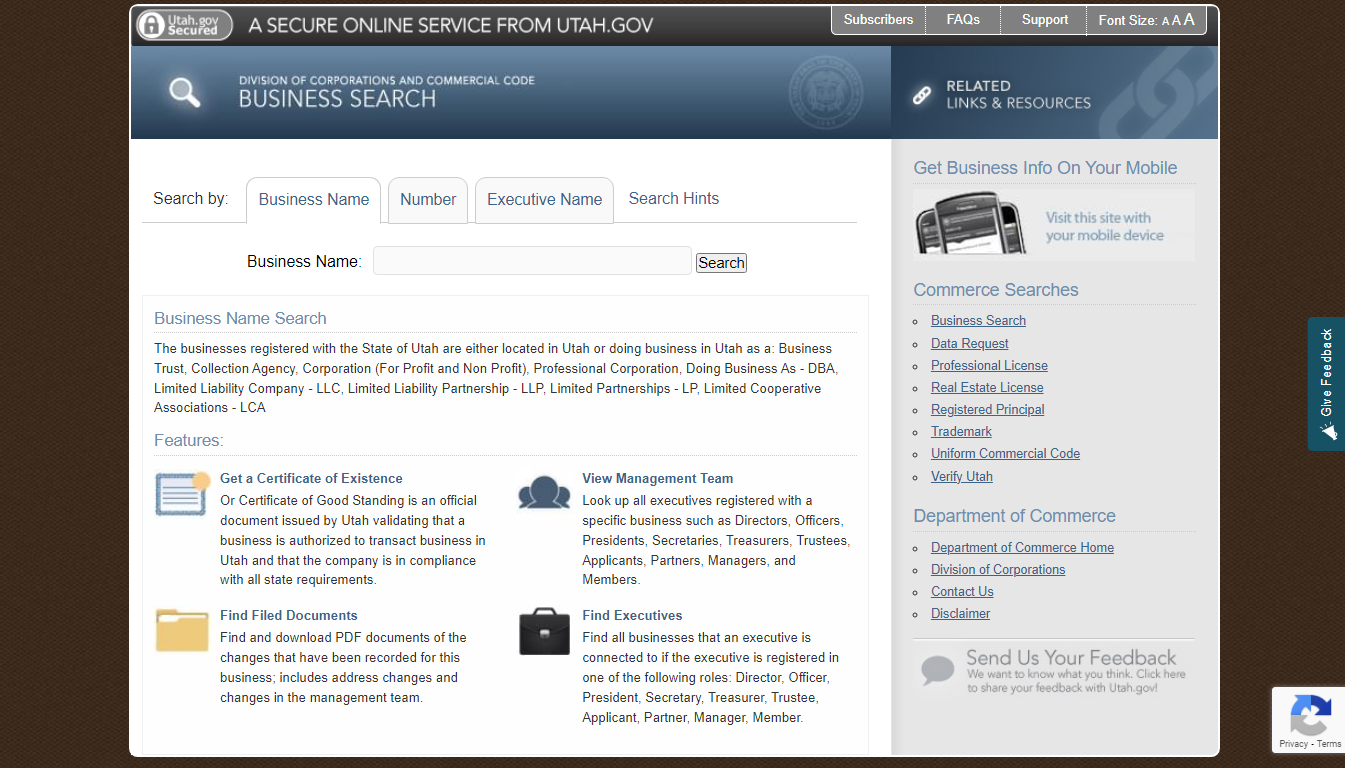
Hey there, coffee companion! You know how sometimes you're like, "I need to find out more about that business I saw the other day"? Well, let me spill the beans on how to do that in Utah, because I've been there, done that, and got the coffee-stained t-shirt to prove it.
Utah Secretary of State to the Rescue!
So, you're wondering how to find out more about a business in Utah, huh? The Utah Secretary of State's office has got you covered. They're like the ultimate business whisperers, keeping tabs on all the companies registered in the Beehive State. Pretty neat, right?
Now, you might be thinking, "How do I access this treasure trove of information?" Well, grab your favorite mug and let's dive in.
Must Read
Meet the Business Search Engine
Picture this: You're sitting at your laptop, sipping your coffee, and suddenly, a lightbulb moment hits. You need to find out more about that new café downtown. What do you do? You head over to the Utah Secretary of State's Business Search Engine, of course!
This nifty tool is like the Google of Utah businesses. It's user-friendly, and it won't judge you for your late-night online sleuthing. Promise.
Searching Made Easy
Alright, so you've got your coffee, you've got your laptop, and you're ready to roll. Here's how you search:
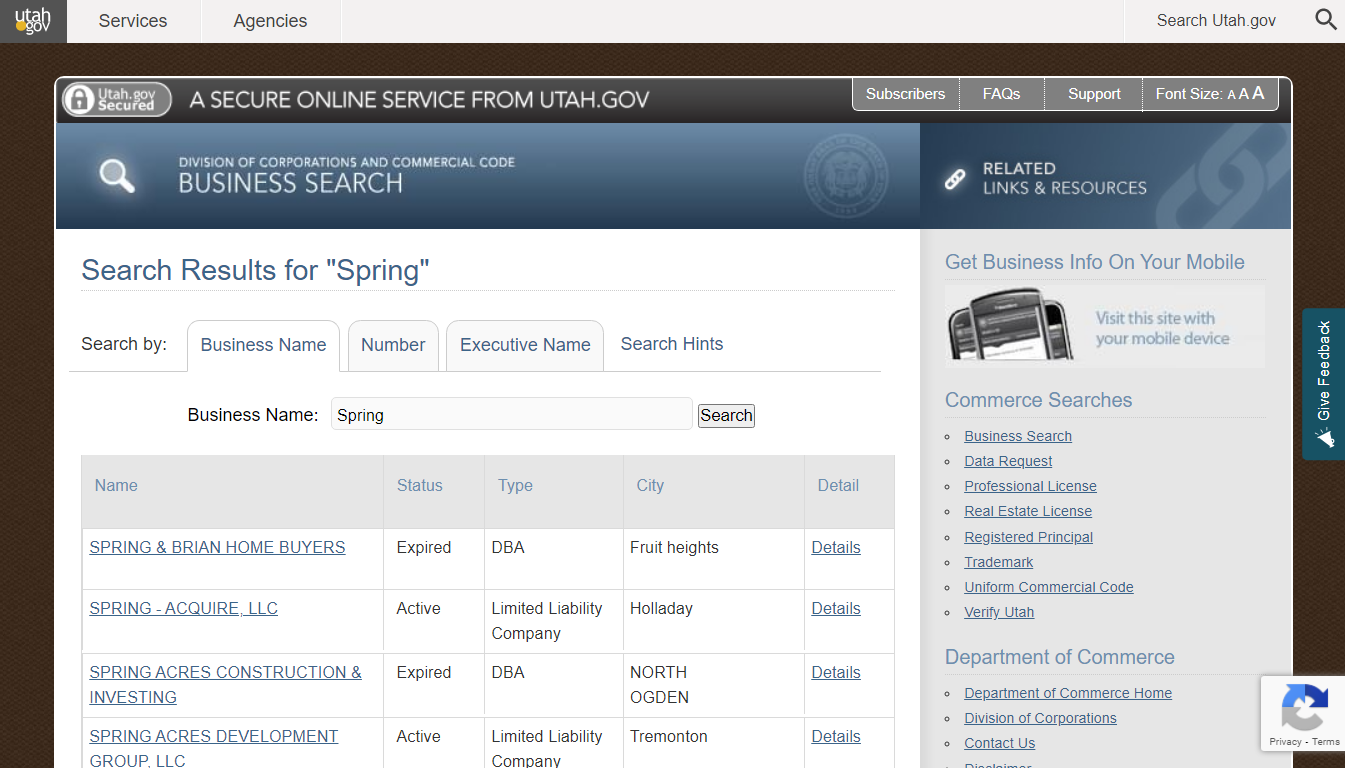
 Utah Secretary of State - Business Entity Search
- Name - If you know the business name, type it in. The search engine will pull up any matching results.
- ID Number - If you've got the business's ID number, you can use that too. It's like having a secret password to the business's file.
- City - Feeling adventurous? You can search by city too. Who knows what hidden gems you'll find?
See? I told you it was easy. You're basically a business detective now.
What You'll Find
So, you've typed in your search, and boom! You've got results. But what does it all mean? Let me break it down for you.
- Business Name - The name of the business. Duh.
- Status - This tells you if the business is active, inactive, or suspended. It's like checking if their coffee is still hot.
- File Number - This is like the business's social security number. It's unique to them and helps you track their history.
- Entity Type - This tells you if the business is a corporation, LLC, or something else. It's like knowing if they're a big corporation or a small, cozy café.
- Registered Agent - This is the person who handles the business's legal stuff. Think of them as the business's lawyer bestie.
- Principal Office - This is the business's address. It's where the magic happens.
Pretty cool, huh? It's like you're getting a behind-the-scenes tour of the business, all from the comfort of your couch.
 Utah Secretary of State - Business Entity Search
But Wait, There's More!
You might be thinking, "This is all great, but what if I want to know more?" Well, my caffeine-fueled friend, the Utah Secretary of State's office has thought of that too.
For a small fee, you can order a certified copy of the business's filing. It's like getting the business's yearbook, complete with all the juicy details. Just remember, this isn't a free service, so make sure you really want that yearbook before you order it.
And there you have it, folks! The lowdown on how to search for businesses in Utah. Wasn't that easy? Now, go forth and explore the world of Utah businesses, one coffee at a time.
